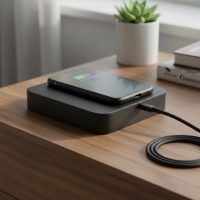
A wireless laptop charger eliminates the need for physical cables by transferring power through electromagnetic fields, offering significant convenience and reducing port wear. While inductive charging requires direct contact, resonant charging allows for greater distances and more positional freedom, making a truly cable-free workspace closer than ever.
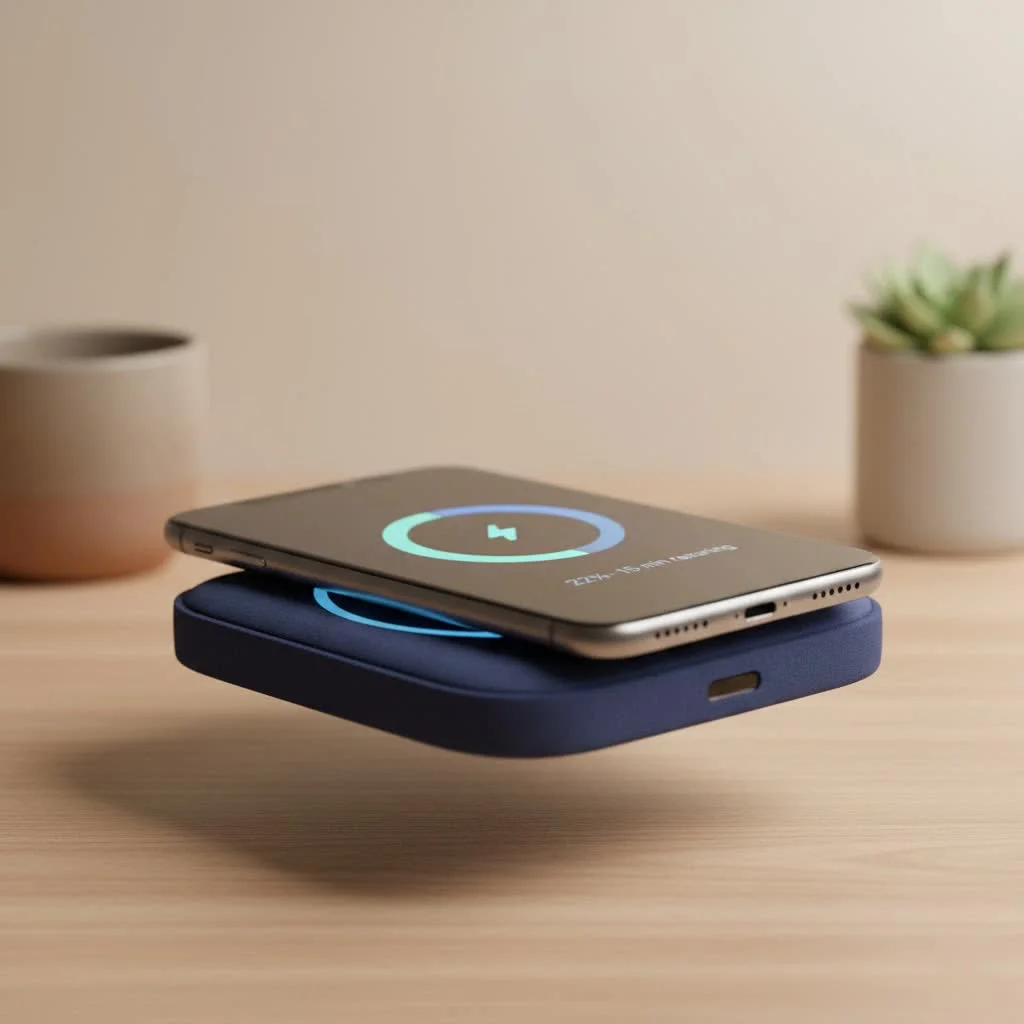
What Exactly is a Wireless Laptop Charger?
When discussing a wireless laptop charger, it’s crucial to understand its current definition. While the ultimate goal is effortless charging as laptops sit on a desk without plugs, today’s interpretation often refers to high-power charging pads or integrated surfaces. These solutions remove the necessity of plugging a cable into your laptop’s port, enhancing convenience and minimizing wear and tear on the device.
How Does Wireless Charging for Laptops Work?
Understanding the mechanism behind a wireless laptop charger involves exploring the core principles of wireless power transfer. Unlike traditional charging that relies on direct electrical contact, wireless charging utilizes electromagnetic fields to transmit energy.
Inductive Charging: The Familiar Pad
Inductive coupling is the most common form of wireless charging, widely recognized from smartphone chargers. This method employs two coils: a transmitting coil in the charging base and a receiving coil within the laptop. An alternating current flowing through the transmitting coil generates a fluctuating magnetic field. When the receiving coil is placed within this field, it induces an electric current, which then charges the laptop’s battery.
- How it Works: Requires close proximity, typically with the laptop resting directly on a charging pad.
- Power Output: While standard Qi chargers for phones are low power, inductive systems for laptops demand significantly higher wattage (60W to 100W or more) for effective charging.
- Current Applications: Inductive pads are often used for specialized business laptops or integrated into smart desks where direct contact is assured.
Resonant Charging: The Promise of Greater Freedom
Resonant inductive coupling advances wireless power transfer, enabling charging over greater distances and with more positional flexibility. Instead of just two coils, resonant systems use coils tuned to resonate at the same frequency, similar to two tuning forks vibrating in harmony. This allows for more efficient energy transfer across a small air gap.
- How it Works: Creates an oscillating magnetic field that can efficiently transfer power to devices within a certain range, even if they are not perfectly aligned or in direct contact.
- Advantages for Laptops: This technology is particularly exciting for wireless laptop charger applications because it enables charging without precise placement. Imagine your laptop charging anywhere on your desk, or even across the room, as long as it’s within the resonant field.
- Development Stage: While commercially available in some niche applications, widespread consumer adoption for laptops is still under active development and refinement.
Why Haven’t We Seen More “Over-the-Air” Wireless Laptop Chargers?
|
Our Picks for the Best Wireless Charger in 2026
As an Amazon Associate I earn from qualifying purchases.
|
||
| Num | Product | Action |
|---|---|---|
| 1 | Wireless Charger Samsung Fast Charging Pad for Samsung Galaxy S25 Ultra/S24 FE/S23 Ultra/S22/S21/Z Flip 6 5,15W Wireless Charging Station Charger Mat and QC Adapter for Google Pixel 9 8a 7a 8 7 Pro |

|
| 2 | INIU Wireless Charger, 15W Fast Qi Certified Wireless Charging Station with Sleep-Friendly Adaptive Light Compatible with iPhone 17 16 15 14 13 12 Pro Max Samsung Galaxy S25 S24 S23 Note 20 Google etc |
|
| 3 | LỖI |
|
| 4 | NeverFall Car Phone Holder for MagSafe [78+LBS Ultra Grip - 2400gf Magnetic Power] 360° Foldable Car Mount Cell Phone Holders for Your Car for iPhone 17-12 and All Smartphones, Carbon Fiber |
|
| 5 | Magnetic Wireless Charger 15W Mag Safe Charger-Fast Charging Pad Compatible with iPhone17/16/15/14/13/12 Series & Airpods 2 3 Pro-LED Mag-Safe Pad with Dual Charging Ports Original Replacement(White) |
|
| 6 | [Apple MFi Certified]Magnetic Wireless Charger Apple Mag Safe Charger,15W 6FT Fast Wireless Charging Pad for Apple iPhone 16 Pro Max/16 Pro/16 Plus/15 Pro Max/14/13/12/AirPods3/2/Pro/Pro2,Charging Pad |
|
| 7 | Samsung 15W Wireless Charger Single, Cordless Super Fast Charging Pad for Galaxy Phones and Devices, Compact Design, LED Indicator, USB C Cable Included, 2022, US Version, Grey |
|
| 8 | Magnetic Wireless Charger 15W Fast Mag Safe Charger for Cell iPhone 17 Pro Max/17 Pro/17 Air/17/16/15/14/13/12 Series 2 Pack Charging Pad for AirPods 3/2/Pro 2/Pro Mag-Safe Original Replacement |
|
| 9 | [Apple MFi Certified]Magnetic Wireless iPhone Charger Magsafe Charger,6FT 15W Fast Phone Charging Pad Wireless Magnetic Charge for iPhone 17/17Air/16 Pro Max/16 Plus/15 Pro Max/14/13/12/AirPods3/2/Pro |
|
| 10 | Amazon Basics 15W Qi Certified Wireless Charging Pad for iPhone 16/15/14/13/12/11/X, Samsung and More, with USB Cable, Black |
|
True “over-the-air” charging for laptops, meaning charging without any contact, presents significant engineering challenges. Laptops typically demand much higher power than smartphones. Delivering 60-100 watts efficiently and safely over distances, without interfering with other electronics or exposing users to excessive electromagnetic fields, is a complex problem. Technologies like RF (radio frequency) or laser charging exist, but their current power output capabilities are generally too low or require line-of-sight for efficient laptop charging.
The Undeniable Benefits of a Wireless Laptop Charger
Adopting a wireless laptop charger offers numerous advantages that can significantly enhance your daily computing experience.
- Unparalleled Convenience: No more fumbling with cables or searching for the correct adapter. Simply place your laptop on the charging surface, and it powers up. This ease of use is a game-changer for busy professionals and students alike.
- Reduced Cable Clutter: Eliminate the messy tangle of wires that often dominates your desk. A wireless setup promotes a cleaner, more organized, and aesthetically pleasing workspace, boosting productivity and reducing visual noise.
- Extended Port Lifespan: Constantly plugging and unplugging a charging cable can wear down your laptop’s charging port over time, leading to costly repairs. Wireless charging removes this physical stress, preserving your laptop’s ports and extending its overall lifespan.
- Enhanced Durability: With fewer physical connections, there is less risk of accidental damage from tripping over cables or yanking power cords. This leads to a more robust charging solution in the long run.
- Seamless Integration: As wireless charging technology matures, we can expect to see it seamlessly integrated into furniture, public spaces, and even vehicles, transforming any surface into a charging zone.
Navigating the Challenges and Limitations
Despite its many advantages, the journey towards widespread wireless laptop charger adoption faces several hurdles.
- Power Requirements: Laptops consume significantly more power than smartphones. Delivering 60-100 watts or more efficiently via wireless means, especially over distance, is technically demanding and affects system design and cost.
- Efficiency and Heat: Wireless power transfer inherently involves some energy loss, often dissipated as heat. Maximizing efficiency is crucial to prevent overheating of both the charger and the laptop, and to reduce energy waste.
- Cost of Implementation: High-power wireless charging solutions, particularly those offering resonant capabilities, can be more expensive to manufacture and implement compared to traditional wired chargers. As the technology scales, costs are expected to decrease.
- Standardization: While Qi is a widely accepted standard for low-power devices, higher-power standards for laptops are still evolving. Universal compatibility will be key for mass market adoption.
- Charging Speed: Early wireless charging solutions might not match the rapid charging speeds offered by high-wattage wired chargers, especially for power-hungry laptops. However, advancements are continually improving this aspect.
The Exciting Future of Wireless Laptop Charging
The horizon for the wireless laptop charger is bright with innovation. We are on the cusp of a revolution that will redefine how we power our devices.
- Integrated Smart Furniture: Imagine desks, coffee tables, and even conference room tables that double as wireless charging surfaces. You will simply place your laptop down, and it will begin charging without a second thought.
- Ambient Power Zones: Resonant charging holds the promise of creating “power bubbles” where devices within a certain area are continuously charged. This could mean entire rooms or sections of offices where your laptop never runs out of battery.
- Enhanced Portability and Mobility: With pervasive wireless charging, the need to carry bulky power adapters could diminish. Laptops could be designed with smaller batteries, relying on constant top-ups from ambient power, leading to lighter, sleeker devices.
- Eco-Friendly Solutions: Reducing the production and disposal of countless charging cables and adapters could lead to a more sustainable tech ecosystem.
“The progression of wireless charging from niche applications to mainstream adoption for laptops will hinge on overcoming current efficiency and power delivery challenges,” notes Dr. Eleanor Vance, a leading researcher in electromagnetic energy transfer. “However, the convenience it offers is a powerful motivator for continued innovation.”
Choosing and Maintaining Your Wireless Laptop Charger
As the market for wireless laptop charger solutions expands, here is what to consider:
What to Look For:
- Power Output: Ensure the charger delivers sufficient wattage for your laptop (check your laptop’s existing charger for reference).
- Compatibility: Verify that your laptop is compatible or can be adapted for wireless charging (e.g., via a specialized sleeve or internal modification).
- Efficiency: Look for products with high efficiency ratings to minimize energy waste and heat generation.
- Safety Certifications: Always choose products that meet relevant safety standards and certifications.
Maintenance Tips:
- Keep it Clean: Regularly wipe down your wireless charging pad and the bottom of your laptop to ensure optimal contact and prevent debris buildup.
- Avoid Obstructions: Ensure there are no foreign objects between your laptop and the charging surface, as this can impede charging efficiency and generate heat.
- Proper Placement: For inductive chargers, ensure your laptop is correctly aligned with the charging coils for the best performance.
Frequently Asked Questions About Wireless Laptop Chargers
Q1: Is a wireless laptop charger as fast as a wired one?
A1: Currently, high-power wired chargers often offer faster charging speeds. However, wireless charging technology is rapidly advancing, and new solutions are closing this gap, aiming for comparable speeds, especially with higher wattage resonant systems.
Q2: Can any laptop be wirelessly charged?
A2: Not all laptops come with built-in wireless charging capabilities. You typically need a laptop specifically designed for it or an aftermarket accessory (like a charging sleeve or receiver) that enables wireless charging. Always check your device’s specifications.
Q3: Are wireless laptop charger devices safe to use?
A3: Yes, reputable wireless chargers are designed with safety features to prevent overheating, overcharging, and electromagnetic interference. Always purchase products from trusted brands that comply with safety standards.
Q4: Does wireless charging affect laptop battery life?
A4: When properly implemented, wireless charging should not negatively impact your laptop’s battery life any more than wired charging. Good quality chargers manage power delivery to optimize battery health, similar to their wired counterparts.
Q5: What’s the main difference between inductive and resonant wireless charging for laptops?
A5: Inductive charging requires very close contact, often with the laptop resting directly on a pad. Resonant charging allows for greater distance and more flexible placement, making it more promising for truly untethered wireless laptop charger experiences.
Q6: Will I ever be able to charge my laptop anywhere in a room?
A6: While not widespread yet, resonant wireless charging technology is making this vision a reality. As research and development continue, we can expect to see ambient power zones that allow for charging anywhere within a designated area.
Q7: Are wireless chargers bad for health due to electromagnetic fields?
A7: Wireless charging systems operate within safe limits of electromagnetic fields as defined by international standards. Reputable products are thoroughly tested to ensure they do not pose health risks during normal use.
Conclusion
The evolution of the wireless laptop charger marks a significant leap towards a truly cable-free world. From the convenience of inductive pads to the exciting potential of resonant charging over distance, the technology is steadily advancing, promising cleaner workspaces, enhanced durability, and unprecedented freedom. As we continue to innovate at rbxyz.com, we believe that the future of laptop power is undeniably wireless. Embrace this innovation, stay informed, and prepare to experience your laptop like never before—unplugged, unrestricted, and always ready to go.
Frequently Asked Questions
Is a wireless laptop charger as fast as a wired one?
Currently, high-power wired chargers often offer faster charging speeds. However, wireless charging technology is rapidly advancing, with new solutions aiming for comparable speeds, especially with higher wattage resonant systems.
Can any laptop be wirelessly charged?
Not all laptops come with built-in wireless charging capabilities. You typically need a laptop specifically designed for it or an aftermarket accessory, such as a charging sleeve or receiver, that enables wireless charging. Always check your device's specifications before purchasing.
Are wireless laptop charger devices safe to use?
Yes, reputable wireless chargers are designed with safety features to prevent overheating, overcharging, and electromagnetic interference. Always purchase products from trusted brands that comply with international safety standards to ensure safe operation.
What's the main difference between inductive and resonant wireless charging for laptops?
Inductive charging requires very close contact, often with the laptop resting directly on a pad. Resonant charging allows for greater distance and more flexible placement, making it more promising for truly untethered wireless laptop charger experiences across a room.
Does wireless charging affect laptop battery life?
When properly implemented, wireless charging should not negatively impact your laptop's battery life any more than wired charging. Good quality chargers manage power delivery to optimize battery health, similar to their wired counterparts, ensuring longevity.
Will I ever be able to charge my laptop anywhere in a room?
While not widespread yet, resonant wireless charging technology is making this vision a reality. As research and development continue, we can expect to see ambient power zones that allow for charging anywhere within a designated area, such as an office or living room.
How to Choose and Maintain Your Wireless Laptop Charger
Selecting and caring for a wireless laptop charger involves checking power output, compatibility, efficiency, and safety certifications, along with simple maintenance steps.
Ensure the charger delivers sufficient wattage for your laptop, typically 60-100 watts or more, by checking your laptop's existing charger. Verify that your laptop is compatible or can be adapted for wireless charging, possibly via a specialized sleeve or internal modification.
Look for products with high efficiency ratings to minimize energy waste and heat generation during charging. Always choose products that meet relevant safety standards and certifications to ensure safe operation and prevent issues like overheating.
Regularly wipe down your wireless charging pad and the bottom of your laptop to ensure optimal contact and prevent debris buildup. Avoid placing any foreign objects between your laptop and the charging surface, as this can impede charging efficiency and generate heat.
For inductive chargers, ensure your laptop is correctly aligned with the charging coils for the best performance and most efficient power transfer. Proper alignment minimizes energy loss and ensures a consistent charge.
Get our weekly buyer guide
Practical specs, not advice. Unsubscribe anytime.