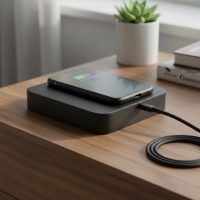
Tired of fumbling with tangled cables and worn-out charging ports? Stepping into the world of wireless phone chargers for Android devices can feel like a breath of fresh air, simplifying your tech life and creating a clutter-free space where powering up is as simple as setting your phone down. As a content creator for Rbxyz.com with over a decade of hands-on experience in wireless charging technology, I’ve watched this innovation evolve from a futuristic concept into an everyday essential. This guide will walk you through everything you need to know, from how these sleek gadgets work to choosing the perfect one for your Android, ensuring you make an informed choice and finally enjoy truly effortless charging.
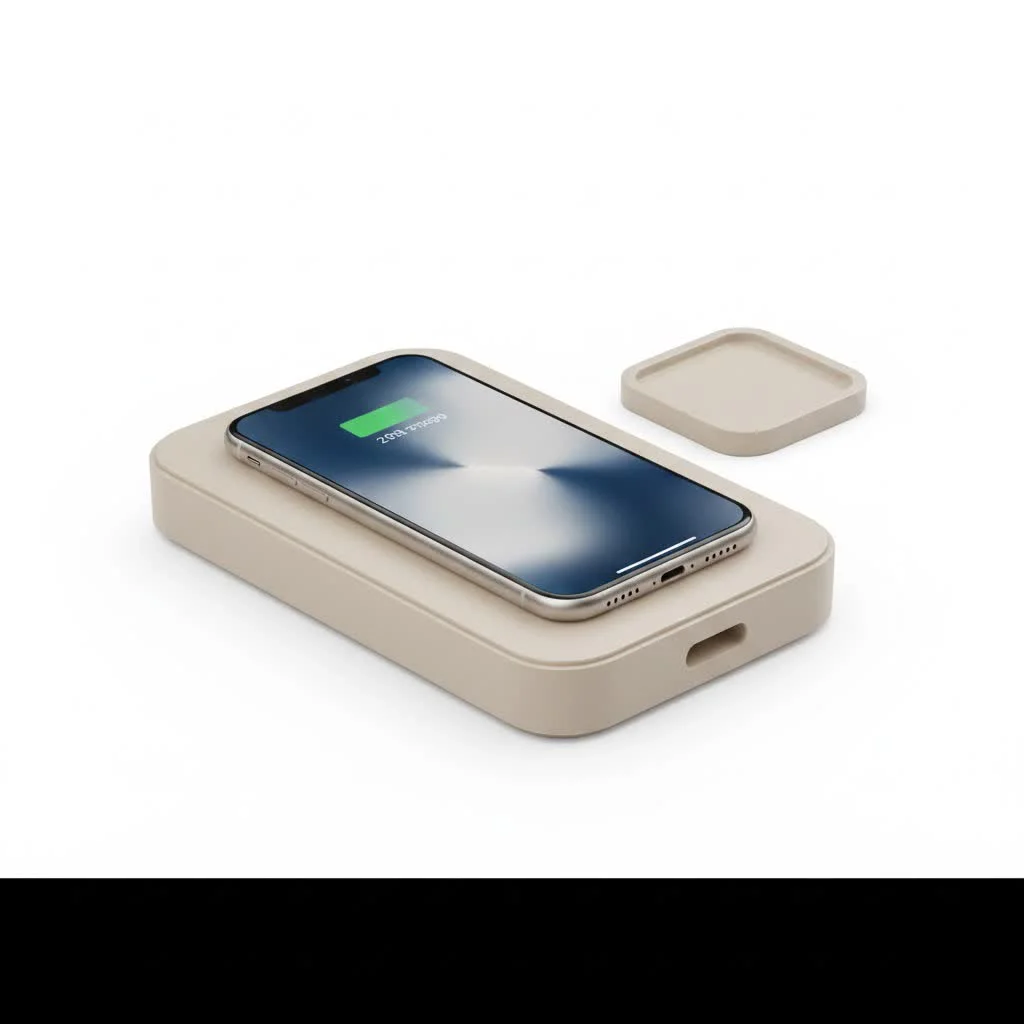
The Magic Behind Wireless Charging for Android: How Does it Work?
At its core, wireless charging for Android phones isn’t magic, but rather a clever application of a scientific principle known as electromagnetic induction. This technology allows electrical power to be transferred between two objects without a direct physical connection. It’s the secret sauce that makes your wireless phone charger for Android so incredibly convenient.
Understanding Qi: The Universal Standard for Android
When we talk about wireless charging, especially for Android devices, you’ll inevitably hear about “Qi” (pronounced “chee”). This isn’t just a fancy name; it’s the widely adopted global standard for wireless power, developed by the Wireless Power Consortium. Most modern Android phones are designed to be Qi-compatible, which is fantastic news because it means your phone will likely work with any Qi-certified wireless charging pad or stand, regardless of the brand. This standardization simplifies your life, offering broad compatibility and ensuring your devices and chargers can “speak” the same language.
The Science of Inductive Charging
So, how does this energy transfer actually happen? It’s all thanks to two primary components: a transmitter coil within your wireless phone charger for Android and a receiver coil embedded in the back of your smartphone. When you plug your charging pad into a power source, an alternating current (AC) flows through its transmitter coil, generating an electromagnetic field. When your Qi-compatible Android phone is placed within range of this field, the magnetic energy induces an electric current in your phone’s receiver coil. This induced current is then converted into direct current (DC) power, which recharges your phone’s battery.
It’s a seamless process, but there’s a small detail that’s crucial for it to work: the back of your wireless-charging-enabled Android device usually needs to be made of plastic or glass. Why? Because metal materials can interfere with these electromagnetic fields, disrupting the inductive coupling and preventing your phone from charging efficiently, if at all.
Is Your Android Phone Ready for Wireless Power?
Before you dive into buying a new wireless phone charger for Android, the first step is to confirm your phone’s compatibility. Most flagship Android phones from the past few years, including popular models from Samsung, Google Pixel, and many others, come with built-in wireless charging capabilities.
Checking for Qi Compatibility
|
Our Picks for the Best Wireless Charger in 2026
As an Amazon Associate I earn from qualifying purchases.
|
||
| Num | Product | Action |
|---|---|---|
| 1 | Amazon Basics 15W Qi Certified Wireless Charging Pad for iPhone 16/15/14/13/12/11/X, Samsung and More, with USB Cable, Black |

|
| 2 | Magnetic Wireless Charger 15W Fast Mag Safe Charger for Cell iPhone 17 Pro Max/17 Pro/17 Air/17/16/15/14/13/12 Series 2 Pack Charging Pad for AirPods 3/2/Pro 2/Pro Mag-Safe Original Replacement |
|
| 3 | LỖI |
|
| 4 | Samsung 15W Wireless Charger Single, Cordless Super Fast Charging Pad for Galaxy Phones and Devices, Compact Design, LED Indicator, USB C Cable Included, 2022, US Version, Grey |
|
| 5 | NeverFall Car Phone Holder for MagSafe [78+LBS Ultra Grip - 2400gf Magnetic Power] 360° Foldable Car Mount Cell Phone Holders for Your Car for iPhone 17-12 and All Smartphones, Carbon Fiber |
|
| 6 | Magnetic Wireless Charger 15W Mag Safe Charger-Fast Charging Pad Compatible with iPhone17/16/15/14/13/12 Series & Airpods 2 3 Pro-LED Mag-Safe Pad with Dual Charging Ports Original Replacement(White) |
|
| 7 | [Apple MFi Certified]Magnetic Wireless Charger Apple Mag Safe Charger,15W 6FT Fast Wireless Charging Pad for Apple iPhone 16 Pro Max/16 Pro/16 Plus/15 Pro Max/14/13/12/AirPods3/2/Pro/Pro2,Charging Pad |
|
| 8 | INIU Wireless Charger, 15W Fast Qi Certified Wireless Charging Station with Sleep-Friendly Adaptive Light Compatible with iPhone 17 16 15 14 13 12 Pro Max Samsung Galaxy S25 S24 S23 Note 20 Google etc |
|
| 9 | Wireless Charger Samsung Fast Charging Pad for Samsung Galaxy S25 Ultra/S24 FE/S23 Ultra/S22/S21/Z Flip 6 5,15W Wireless Charging Station Charger Mat and QC Adapter for Google Pixel 9 8a 7a 8 7 Pro |
|
| 10 | [Apple MFi Certified]Magnetic Wireless iPhone Charger Magsafe Charger,6FT 15W Fast Phone Charging Pad Wireless Magnetic Charge for iPhone 17/17Air/16 Pro Max/16 Plus/15 Pro Max/14/13/12/AirPods3/2/Pro |
|
The easiest way to check if your Android phone supports wireless charging is to consult its official specifications on the manufacturer’s website or in your user manual. Look for terms like “Qi wireless charging support.” You might also find a subtle Qi logo on your phone’s packaging or on the device itself. If your phone isn’t natively Qi-compatible, don’t despair! You might still be able to enable wireless charging using a special wireless charging adapter that plugs into your phone’s USB port or a specific wireless charging case designed for your model.
What About MagSafe on Android?
You’ve probably seen Apple’s MagSafe technology, known for its satisfying magnetic “snap” and precise alignment. While MagSafe is primarily an Apple innovation, many MagSafe-compatible chargers are also Qi-certified. This means that if you place your Qi-enabled Android phone on a MagSafe charger, it will generally still charge. However, it won’t benefit from the magnetic alignment feature that iPhones enjoy; your Android device won’t “snap” into place, so you’ll still need to ensure proper positioning for optimal charging. The exciting news is that the next generation of the Qi standard, known as Qi2, is incorporating magnetic alignment similar to MagSafe, promising enhanced convenience and efficiency for future Android devices.
Choosing Your Perfect Wireless Charger for Android
With so many options on the market, selecting the right wireless phone charger for Android can feel overwhelming. As your guide from Rbxyz.com, I’m here to simplify the process. Think about your lifestyle and priorities – whether it’s speed, design, or the ability to charge multiple devices.
Power Output Matters: Speeding Up Your Charge
When you’re looking for a wireless charger, “wattage” is key. This number (e.g., 5W, 10W, 15W) indicates the maximum power output the charger can deliver. While many Android phones support “fast wireless charging,” the actual speed can vary significantly. Most modern Android devices can handle 10W or 15W wireless charging, which is considerably faster than the older 5W standard. Always check your phone’s specifications to see what it supports and pair it with a charger that can match or exceed that output for the fastest possible charge. Keep an eye out for chargers that support Power Delivery (PD) as well, as this technology helps minimize energy loss and ensures a more efficient, quicker charge.
Pad vs. Stand: Which Style Suits Your Lifestyle?
The form factor of your wireless phone charger for Android makes a big difference in how you interact with your device while it’s charging:
- Charging Pads: These are flat discs or mats where you simply lay your phone down. They’re often discreet, perfect for a nightstand or desk where you want your phone to blend in. Some even offer “sleep-friendly” designs with minimal or no indicator lights to avoid disturbing your rest.
- Charging Stands: These hold your phone upright, often at a convenient viewing angle. This is ideal if you like to glance at notifications, watch videos, or participate in video calls while your phone powers up. Many stands allow both vertical and horizontal charging.
Safety First: Features to Look For
Your phone is a significant investment, so protecting it during charging is paramount. A high-quality wireless phone charger for Android should come equipped with robust safety features:
- Foreign Object Detection (FOD): This crucial feature prevents the charger from generating an electromagnetic field if it detects metal objects (like keys or coins) on the charging pad. This prevents overheating and potential damage to both the charger and your phone.
- Overheating and Overcharge Protection: Modern chargers and phones communicate to regulate power levels. Look for intelligent chips that can automatically adjust wattage (e.g., switching between 10W, 7.5W, and 5W) to prevent your phone’s battery from getting excessively hot or being overcharged once it reaches 100%. Some premium chargers even include built-in cooling fans or heat-dissipating materials.
- Short-Circuit Protection: This feature acts as a safeguard, automatically shutting down the charger if it detects an electrical fault, protecting your device and home.
Design and Aesthetics: Blending with Your Space
Wireless chargers are becoming an integral part of our daily environments, so their design and materials matter. From sleek, minimalist pads made with premium metals and fabrics to robust, durable models designed for travel or outdoor adventures, there’s a style for everyone. Consider how the charger will fit into your home or office aesthetic. Some innovative options even include under-desk mounts, turning a section of your tabletop into an invisible charging spot for a truly clutter-free look.
Multi-Device Chargers: Powering Up More Than Just Your Phone
In our multi-gadget world, juggling a smartphone, wireless earbuds, and a smartwatch is common. Multi-device wireless chargers offer a streamlined solution, allowing you to power up several items simultaneously on a single pad or stand. This not only reduces clutter but also simplifies your charging routine, ensuring all your essential tech is ready to go. Look for models with designated spots for different devices or adaptive fast charge technology that intelligently adjusts power output for each connected gadget.
Maximizing Your Wireless Charging Experience
Getting the most out of your wireless phone charger for Android involves a few simple best practices that can ensure speedy, efficient, and safe power delivery every time.
Proper Placement and Case Considerations
The efficiency of inductive charging relies on precise alignment between the coils in your phone and the charger. Even a slight misalignment can lead to slower charging or intermittent connections. Take a moment to find the “sweet spot” – your phone will usually provide a visual cue like a charging icon or a subtle vibration when properly placed. Chargers with multiple internal coils can offer a larger charging surface, making placement less finicky.
Your phone case can also impact wireless charging. While most chargers can work through thinner cases, very thick or ruggedized cases (generally over 5mm) can create too much of a barrier. The biggest culprits, however, are cases with metal plates (for magnetic car mounts), pop sockets, or integrated card slots with credit cards, which can completely block the signal or cause dangerous overheating. If you’re experiencing issues, try charging your phone without its case first.
Troubleshooting Common Wireless Charging Issues
Even the most reliable wireless phone charger for Android can sometimes act up. Here are quick fixes for common problems:
- No Charge/Slow Charge:
- Re-position: Nudge your phone around the pad to find optimal coil alignment.
- Remove Obstructions: Take off any thick or metallic cases, pop sockets, or remove cards from wallet cases.
- Restart Phone: A simple reboot can resolve minor software glitches.
- Check Settings: Ensure “Fast Wireless Charging” or “Wireless PowerShare” (if available) is enabled in your phone’s battery settings.
- Overheating:
- Ventilation: Place the charger and phone in a cool, well-ventilated area, away from direct sunlight.
- Case Check: Remove your phone case if it seems to trap heat.
- Charger Quality: Invest in a Qi-certified charger with built-in thermal management.
“From my decade in the wireless charging trenches, I’ve seen the tech evolve from a niche curiosity to an everyday essential. The shift towards Qi2, with its magnetic precision, is particularly exciting for Android users. It’s about making charging not just convenient, but effortlessly efficient and truly smart,” says Dr. Anya Sharma, a renowned expert in mobile power solutions and Chief Innovator at Rbxyz.com.
Is it Safe to Charge Your Phone Overnight?
This is a common concern, but rest assured, modern Android phones are designed to be smart. Their built-in battery management systems prevent overcharging. Once your phone hits 100%, the charger and phone communicate to stop or significantly reduce the power flow, only providing a trickle charge to maintain full capacity. So, leaving your phone on a quality wireless phone charger for Android overnight is generally safe and won’t harm your battery’s long-term health. However, ensuring good ventilation can help keep temperatures lower for even better battery longevity.
The Future is Wireless: What’s Next for Android Charging?
The landscape of wireless charging is constantly evolving, and the future holds even more exciting developments for Android users. The biggest upcoming change is the widespread adoption of Qi2, the next generation of the Qi standard.
Qi2 introduces a magnetic power profile that provides perfect alignment between the charger and your device, similar to Apple’s MagSafe. This magnetic alignment doesn’t just offer a satisfying snap; it significantly improves efficiency and allows for faster charging speeds, typically up to 15 watts, by minimizing energy loss. For Android users, this means a more reliable, efficient, and user-friendly wireless charging experience, eliminating the guesswork of finding the “sweet spot.” “Qi2 Ready” phones and chargers are backward compatible with older Qi devices, ensuring a smooth transition as technology advances. We’re moving towards a future where multi-device charging is even more seamless, and integrated wireless power could become standard in furniture, vehicles, and public spaces, making keeping your Android powered easier than ever before.
Frequently Asked Questions
What’s the biggest plus of using wireless charging for my Android?
The primary advantage is unparalleled convenience. Simply setting your phone down on a pad to charge eliminates the need to constantly plug and unplug cables, reducing wear and tear on your phone’s port and keeping your space tidy.
How can I be sure a wireless charger is compatible with my Android phone?
Most modern Android phones are Qi-compatible. Check your phone’s official specifications on the manufacturer’s website or look for the Qi logo on your phone or its packaging. Any Qi-certified charger should work.
My phone case is pretty bulky. Could that affect wireless charging?
Yes, it certainly can. While many wireless chargers work through thinner cases, very thick cases (over 5mm), or those containing metal, magnets, or credit cards, can interfere with the charging signal, slowing it down or preventing it altogether.
My phone feels warm when I use a wireless charger. Is that okay?
A slight warmth is normal during wireless charging due to energy transfer. However, if your phone feels uncomfortably hot, ensure it’s in a well-ventilated area, not in direct sunlight, and that your case isn’t trapping heat. Quality chargers have safety features to manage temperature.
I keep hearing about Qi and MagSafe. What’s the deal for Android users?
Qi is the universal wireless charging standard used by most Android phones. MagSafe is Apple’s magnetic charging system. The exciting news is that Qi2, the next generation of Qi, incorporates magnetic alignment similar to MagSafe, bringing enhanced convenience and efficiency to future Android devices.
Do all wireless chargers charge at the same speed?
No, wireless charging speeds vary greatly. While many older chargers output 5W, most modern Android phones support fast wireless charging at 10W or 15W. Always match your charger’s wattage to your phone’s supported input for optimal speeds.
Conclusion
Embracing a wireless phone charger for Android is more than just a tech upgrade; it’s a step towards a more convenient, clutter-free, and efficient daily routine. We’ve explored how inductive charging works, the importance of the Qi standard, and what to look for—from charging speed and safety features like Foreign Object Detection to the practical differences between pads and stands. Whether you’re a busy professional needing reliable power on the go or someone who simply appreciates the ease of a tidy setup, there’s a perfect wireless charging solution out there for you.
As the technology continues to advance with innovations like Qi2, wireless charging for Android is only getting better, promising even faster speeds and more seamless experiences. So, take the leap, choose a charger that fits your needs, and enjoy the freedom of effortlessly powered devices. Your Android, and your peace of mind, will thank you!
Get our weekly buyer guide
Practical specs, not advice. Unsubscribe anytime.