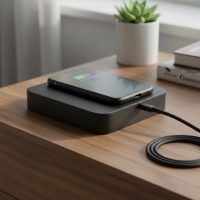
Welcome to the world of wireless charging! As a seasoned expert with over a decade in this exciting field, I’ve seen countless innovations, but some of the most accessible and practical solutions come from brands like onn. An onn wireless charger offers a fantastic entry point into the convenience of wire-free power, blending affordability with essential functionality for a wide range of devices. Whether you’re new to the game or looking to maximize your existing setup, this guide from rbxyz.com will walk you through everything you need to know about your onn wireless charger, ensuring you get safe, efficient, and reliable charging every time.
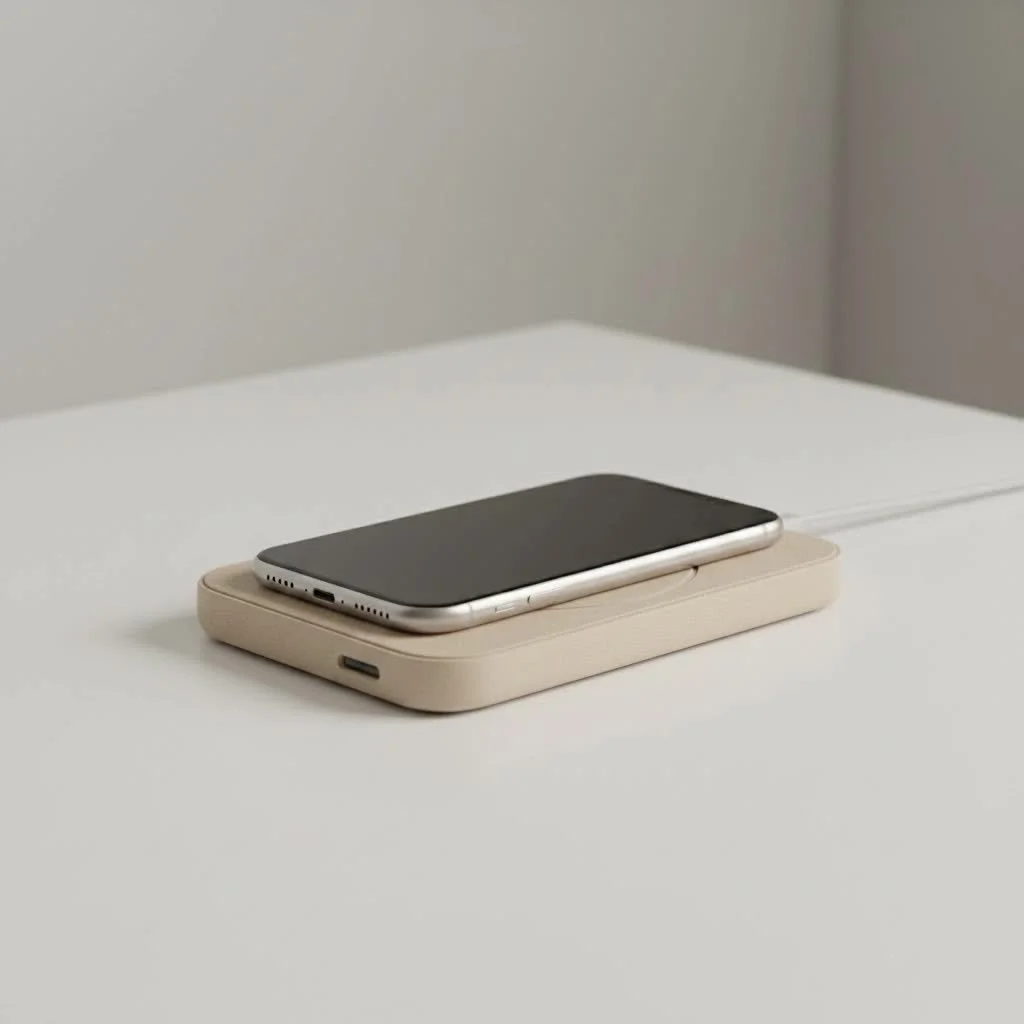
Understanding Your onn Wireless Charger: Models and Capabilities
onn has carved out a niche for itself by offering straightforward, budget-friendly electronic accessories, and their wireless chargers are no exception. They focus on bringing basic, effective wireless charging to the masses. For browse all wireless chargers articles on this site.
What types of onn wireless chargers are available?
You’ll find onn wireless chargers in various shapes and sizes, primarily differentiated by their wattage and specific features. The most common types include simple charging pads, more versatile multi-device stands, and even some with integrated lights.
The Basics: 5W onn Wireless Charging Pads
These are typically the most compact and affordable onn wireless charger options. They’re perfect for throwing in a travel bag or serving as a secondary charger on a desk or nightstand. While they offer universal Qi compatibility, it’s worth noting that 5W charging is the slowest standard speed, meaning your device will take longer to reach a full charge. Some 5W models also might not include a wall adapter in the box, which is something to keep in mind when purchasing.
Stepping Up: 10W onn Wireless Charging Solutions
For those seeking a bit more speed, onn offers 10W wireless charging pads. These chargers provide faster power delivery, typically offering 7.5W fast charging for select iPhone models (like iPhone 8 and newer) and up to 10W fast charging for compatible Samsung Galaxy devices. Many of these pads are Qi-certified and include safety features like over-voltage, over-current, and foreign object detection, giving you peace of mind while charging.
Beyond the Pad: onn 3-in-1 and Magnetic Chargers
Beyond the basic pads, onn also innovates with more specialized chargers. Their 3-in-1 wireless charging pads or stands are incredibly convenient, designed to simultaneously power your iPhone, Apple Watch, and AirPods using a single cable and power source. These foldable designs are often lauded for their portability, making them an excellent choice for frequent travelers. Newer iterations may even be Qi2 certified, offering enhanced magnetic alignment and faster charging speeds, sometimes up to 15W for compatible devices. Additionally, some onn models, like the Wireless Charging Bubble Lamp, integrate unique features such as a night light, adding extra utility to a charging pad.
Is Your Device Compatible with onn Wireless Charger?
One of the best aspects of wireless charging is its standardization. If your device supports Qi wireless charging, chances are it will work seamlessly with an onn wireless charger.
Qi Standard: The Universal Language of Wireless Charging
|
Our Picks for the Best Wireless Charger in 2026
As an Amazon Associate I earn from qualifying purchases.
|
||
| Num | Product | Action |
|---|---|---|
| 1 | NeverFall Car Phone Holder for MagSafe [78+LBS Ultra Grip - 2400gf Magnetic Power] 360° Foldable Car Mount Cell Phone Holders for Your Car for iPhone 17-12 and All Smartphones, Carbon Fiber |
![Check NeverFall Car Phone Holder for MagSafe [78+LBS Ultra Grip - 2400gf Magnetic Power] 360° Foldable Car Mount Cell Phone Holders for Your Car for iPhone 17-12 and All Smartphones, Carbon Fiber on Amazon](https://rbxyz.com/wp-content/plugins/amazon-tables/assets/images/buy.png)
|
| 2 | [Apple MFi Certified]Magnetic Wireless Charger Apple Mag Safe Charger,15W 6FT Fast Wireless Charging Pad for Apple iPhone 16 Pro Max/16 Pro/16 Plus/15 Pro Max/14/13/12/AirPods3/2/Pro/Pro2,Charging Pad |
|
| 3 | Amazon Basics 15W Qi Certified Wireless Charging Pad for iPhone 16/15/14/13/12/11/X, Samsung and More, with USB Cable, Black |
|
| 4 | Magnetic Wireless Charger 15W Fast Mag Safe Charger for Cell iPhone 17 Pro Max/17 Pro/17 Air/17/16/15/14/13/12 Series 2 Pack Charging Pad for AirPods 3/2/Pro 2/Pro Mag-Safe Original Replacement |
|
| 5 | INIU Wireless Charger, 15W Fast Qi Certified Wireless Charging Station with Sleep-Friendly Adaptive Light Compatible with iPhone 17 16 15 14 13 12 Pro Max Samsung Galaxy S25 S24 S23 Note 20 Google etc |
|
| 6 | LỖI |
|
| 7 | Samsung 15W Wireless Charger Single, Cordless Super Fast Charging Pad for Galaxy Phones and Devices, Compact Design, LED Indicator, USB C Cable Included, 2022, US Version, Grey |
|
| 8 | Magnetic Wireless Charger 15W Mag Safe Charger-Fast Charging Pad Compatible with iPhone17/16/15/14/13/12 Series & Airpods 2 3 Pro-LED Mag-Safe Pad with Dual Charging Ports Original Replacement(White) |
|
| 9 | Wireless Charger Samsung Fast Charging Pad for Samsung Galaxy S25 Ultra/S24 FE/S23 Ultra/S22/S21/Z Flip 6 5,15W Wireless Charging Station Charger Mat and QC Adapter for Google Pixel 9 8a 7a 8 7 Pro |
|
| 10 | [Apple MFi Certified]Magnetic Wireless iPhone Charger Magsafe Charger,6FT 15W Fast Phone Charging Pad Wireless Magnetic Charge for iPhone 17/17Air/16 Pro Max/16 Plus/15 Pro Max/14/13/12/AirPods3/2/Pro |
|
The Qi (pronounced “chee”) standard is the global benchmark for wireless power transfer, adopted by nearly all major smartphone manufacturers. All onn wireless chargers are built to this standard, ensuring broad compatibility. When you see the Qi logo, you know your device and charger are speaking the same language.
Broad Compatibility
The good news is that an onn wireless charger is compatible with a wide array of popular devices. This includes Apple iPhones (iPhone 8 and newer, including the latest models), many Samsung Galaxy smartphones (S6 and newer, Note 8 and newer, and various Fold/Z Flip models), Google Pixel phones, and other Qi-enabled Android devices. For multi-device chargers, this typically extends to Apple Watch and AirPods (with wireless charging cases).
What about cases?
Most onn wireless chargers are designed to charge through common phone cases, as long as the case isn’t excessively thick (generally under 3-5mm) or made of metal. Metal cases, or cases with metallic elements like pop sockets or rings, can interfere with the charging process and trigger foreign object detection (FOD) features for safety. So, before you blame your charger for slow speeds, check your phone case!
Getting the Most Out of Your onn Wireless Charger: Tips for Optimal Performance
Even with simple technology, a few best practices can significantly enhance your experience with an onn wireless charger.
Finding the “Sweet Spot”: Proper Device Placement
This is perhaps the most common “trick” to successful wireless charging. For optimal power transfer, your device’s charging coil needs to align with the coil inside the onn wireless charger. On most pads, this “sweet spot” is usually in the center. If your device isn’t charging or charges intermittently, try subtly shifting its position on the pad until the charging indicator (often an LED light on the charger or your phone screen) confirms a connection.
Power Up Right: The Importance of a Good Power Adapter and Cable
Your wireless charger is only as good as its power source. For the best performance, especially with 10W or 15W fast charging models, use a compatible wall adapter that provides sufficient wattage (e.g., a Quick Charge 3.0 adapter or a 20W USB-C power adapter). Don’t assume any old USB port or adapter will do the trick. A quality, undamaged USB cable is equally important, as a faulty cable can prevent proper charging even if the pad itself is fine.
Keep it Clear: Foreign Object Detection (FOD)
Most modern wireless chargers, including onn models, feature Foreign Object Detection (FOD). This is a crucial safety mechanism that prevents the charger from powering up if it detects metal objects (like keys, coins, or credit cards) between the charger and your device. Always ensure the charging surface is clear before placing your phone to avoid potential heat buildup or damage.
Temperature Matters
Just like us, electronics prefer a comfortable operating temperature. If your phone or the onn wireless charger becomes excessively hot, the charging process might slow down or even stop as a safety measure. This is particularly relevant if your device has been exposed to extreme cold or heat. Try to charge in a cool, well-ventilated area, ideally between 68-77°F (20-25°C).
“Wireless charging has become an indispensable part of our daily tech lives, and onn provides a great entry point into this ecosystem,” shares Dr. Evelyn Reed, a leading expert in mobile power solutions. “Understanding the nuances of coil alignment and power delivery can transform a frustrating experience into seamless convenience.”
Troubleshooting Common onn Wireless Charger Issues
Even with the best intentions, sometimes things don’t go as planned. Here are some common issues and how to resolve them.
My onn Wireless Charger is Slow
If your device is charging at a snail’s pace, consider these factors:
- 5W Charger: If you have a basic 5W onn wireless charger, slower speeds are inherent to the model.
- Power Adapter: Are you using a suitable wall adapter? A low-power adapter won’t deliver enough juice for faster charging, even if your pad is capable of 10W.
- Device Limitations: Your phone might not support faster wireless charging speeds, or it might be prioritizing battery health over speed.
- Background Apps: Sometimes, power-hungry apps running in the background can draw power faster than a slower charger can supply.
My Device Isn’t Charging At All
This is usually a quick fix:
- Reposition: Gently shift your device on the charging pad to find the “sweet spot”.
- Check Connections: Ensure the charging pad’s cable is securely plugged into both the pad and the wall adapter, and that the adapter is firmly in the power outlet.
- Inspect Cable & Adapter: Try a different cable or wall adapter if you have one, as faulty accessories are a common culprit.
- Clear the Pad: Remove any foreign objects like coins, keys, or cards.
- Restart Device: Occasionally, a simple phone restart can resolve software glitches preventing charging detection.
Intermittent Charging: Why Does It Keep Stopping?
If your onn wireless charger keeps starting and stopping:
- Movement: Even slight bumps or vibrations can cause your phone to shift, breaking the connection. Ensure the pad is on a stable surface.
- Alignment: You might be just barely on the “sweet spot.” Try a more precise centering.
- Heat: As mentioned, overheating can cause charging to pause as a safety measure.
- Faulty Equipment: A damaged cable or adapter could also be to blame.
Why Choose an onn Wireless Charger? (and When to Consider Alternatives)
onn wireless chargers are a fantastic option for many users, but like any tech, they have their ideal scenarios.
Affordability Meets Functionality
The primary appeal of an onn wireless charger lies in its excellent value. You get the fundamental convenience of wireless charging without breaking the bank. For a brand often found at retailers like Walmart, onn frequently delivers quality and specifications comparable to more expensive brands at a fraction of the cost.
Ideal Use Cases
- Casual Chargers: If you simply want to drop your phone down at your desk or bedside overnight and aren’t in a rush for a lightning-fast charge, a 5W or 10W onn wireless charger is perfect.
- Travelers: Their compact and lightweight designs make them great companions for trips, especially the foldable 3-in-1 models.
- Secondary Chargers: They’re ideal for an extra charging spot in the kitchen, living room, or guest room.
When to Look for Premium Options
If you demand the absolute fastest charging speeds, advanced smart features, or robust build quality for heavy daily use, you might consider higher-end wireless chargers from premium brands. While onn provides excellent value, dedicated fast chargers from established tech brands often push the boundaries of charging wattage and integrate more sophisticated features.
Conclusion
An onn wireless charger is a smart, accessible choice for bringing the magic of cable-free power into your life. By understanding the different models, ensuring compatibility, and following a few simple best practices for placement and power, you can enjoy a hassle-free charging experience. Don’t let common hiccups deter you – with the tips from rbxyz.com, you’re now equipped to troubleshoot and master your onn wireless charger like a pro. Go ahead, cut the cord, and embrace the simplicity!
Frequently Asked Questions
1. What devices are compatible with an onn wireless charger?
An onn wireless charger is compatible with all Qi-enabled devices. This includes Apple iPhones (iPhone 8 and newer), Samsung Galaxy phones (S6 and newer, Note 8 and newer, Fold/Z Flip series), Google Pixel devices, and other smartphones or accessories that support the universal Qi wireless charging standard.
2. Do all onn wireless chargers come with a wall adapter?
No, not all onn wireless chargers include a wall adapter. While some models, particularly the 3-in-1 chargers or certain 10W versions, might come with an adapter and cable, many basic 5W pads are sold without one, requiring you to use your own compatible adapter.
3. Why is my onn wireless charger charging slowly?
Slow charging can be due to several factors: if it’s a 5W pad (which is slower by design), using an underpowered wall adapter, a faulty USB cable, or if your device is running power-intensive apps in the background. Ensure you’re using an appropriate power brick for the charger’s wattage.
4. How do I know if my phone is properly placed on the onn wireless charger?
Most onn wireless chargers have an LED indicator light that illuminates or changes color when a device is correctly detected and charging. Your phone’s screen will also typically display a charging icon or notification. If you don’t see these, adjust your phone’s position on the pad until it’s centered over the charging coil.
5. Are onn wireless chargers safe to use?
Yes, onn wireless chargers are generally safe to use. Many models are Qi-certified, meaning they meet safety, interoperability, and energy efficiency standards. They often include built-in protections against over-voltage, over-current, overheating, short circuits, and foreign object detection (FOD) to prevent issues.
Get our weekly buyer guide
Practical specs, not advice. Unsubscribe anytime.