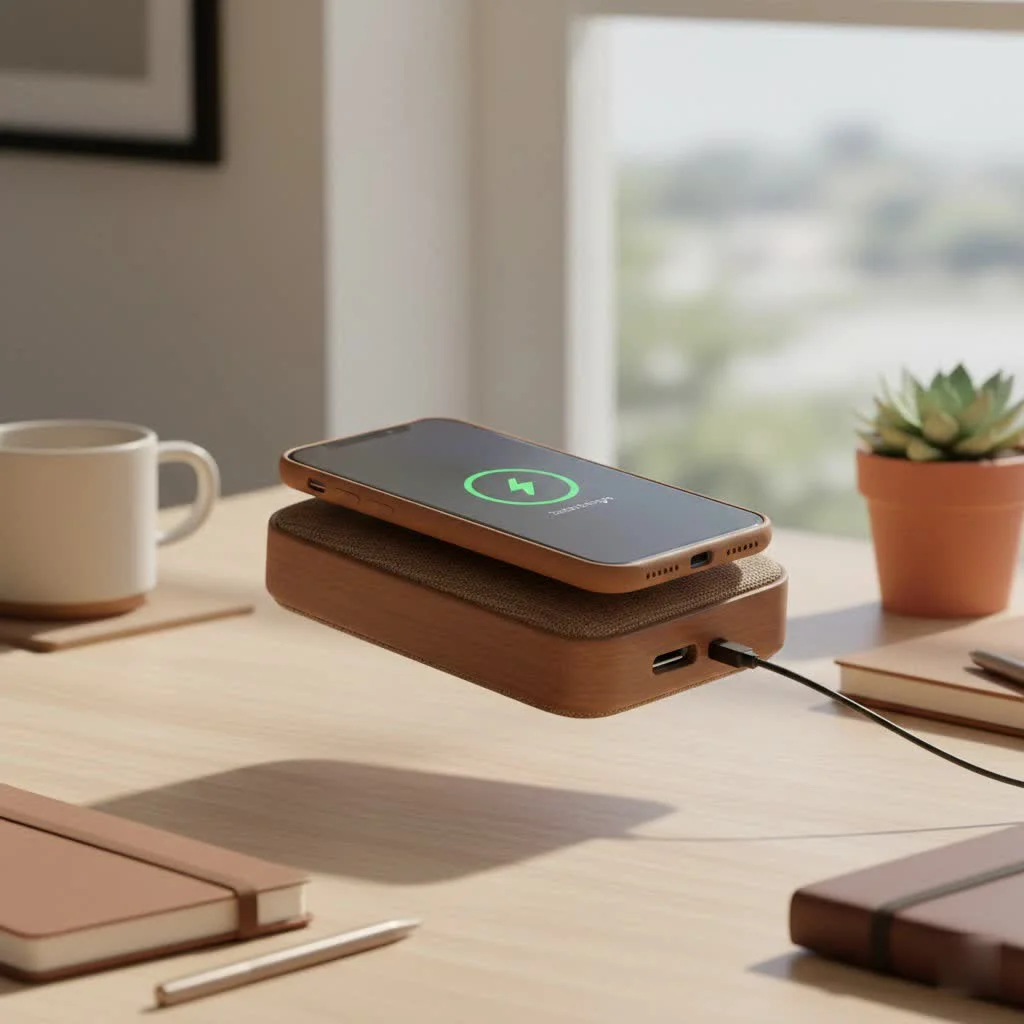
The iPhone 11, iPhone 11 Pro, and iPhone 11 Pro Max all support wireless charging using the Qi standard, allowing users to power their devices without cables. This feature provides a convenient and clutter-free way to keep your battery topped up, utilizing inductive power transfer for a seamless experience.
Does the iPhone 11 Series Support Wireless Charging?
Yes, the iPhone 11 lineup fully supports wireless charging. Apple integrated this capability into all models: the iPhone 11, iPhone 11 Pro, and iPhone 11 Pro Max. This means you can replace traditional Lightning cables for many charging needs, embracing a more modern and convenient method.
What wireless charging standard does the iPhone 11 use?
The iPhone 11 series utilizes the widely adopted Qi wireless charging standard. This open, universal standard, developed by the Wireless Power Consortium (WPC), ensures compatibility across a vast range of charging pads and devices. Always look for the “Qi-certified” badge when purchasing a wireless charger to guarantee a safe and efficient charging experience for your iPhone 11.
How Does Wireless Charging Work for Your iPhone 11?
Wireless charging operates through inductive power transfer. Both your iPhone 11 and a Qi-certified wireless charging pad contain coils. When the charging pad is powered, it creates an electromagnetic field. Placing your iPhone 11 on the pad allows its internal coil to pick up this energy, converting it back into electrical current to charge the battery.
Is it safe to wirelessly charge an iPhone 11?
Yes, wirelessly charging your iPhone 11 is perfectly safe, provided you use certified and reputable charging accessories. Qi-certified chargers include safety features to prevent overheating, overcharging, and foreign object detection, which stops power transfer if a metal object is present. Prioritize quality and certification to ensure device longevity and peace of mind.
Benefits of Wireless Charging for Your iPhone 11
The advantages of wireless charging are significant and can greatly enhance daily device use.
- Unmatched Convenience: Simply place your iPhone 11 on the charging pad. This eliminates fumbling with cables, especially in the dark, and is ideal for quick top-ups throughout the day.
- Reduced Port Wear and Tear: Frequent plugging and unplugging of cables can stress the iPhone’s Lightning port. Wireless charging bypasses this, preserving the physical connection.
- Sleek and Clutter-Free Spaces: Wireless charging pads offer a minimalist aesthetic, eliminating tangled cables on nightstands, desks, or kitchen counters, keeping your space tidy.
- Enhanced Accessibility: For individuals with limited dexterity or visual impairments, wireless charging can significantly simplify the charging process.
- Versatility: Many wireless charging pads can charge multiple devices simultaneously, allowing you to power your iPhone 11 alongside AirPods or an Apple Watch if the charger supports it.
Choosing the Best Wireless Charger for iPhone 11
Selecting the right wireless charger for your iPhone 11 requires considering several key factors.
Key Factors to Consider
|
Our Picks for the Best Wireless Charger in 2026
As an Amazon Associate I earn from qualifying purchases.
|
||
| Num | Product | Action |
|---|---|---|
| 1 | Wireless Charger Samsung Fast Charging Pad for Samsung Galaxy S25 Ultra/S24 FE/S23 Ultra/S22/S21/Z Flip 6 5,15W Wireless Charging Station Charger Mat and QC Adapter for Google Pixel 9 8a 7a 8 7 Pro |

|
| 2 | Samsung 15W Wireless Charger Single, Cordless Super Fast Charging Pad for Galaxy Phones and Devices, Compact Design, LED Indicator, USB C Cable Included, 2022, US Version, Grey |
|
| 3 | Magnetic Wireless Charger 15W Fast Mag Safe Charger for Cell iPhone 17 Pro Max/17 Pro/17 Air/17/16/15/14/13/12 Series 2 Pack Charging Pad for AirPods 3/2/Pro 2/Pro Mag-Safe Original Replacement |
|
| 4 | NeverFall Car Phone Holder for MagSafe [78+LBS Ultra Grip - 2400gf Magnetic Power] 360° Foldable Car Mount Cell Phone Holders for Your Car for iPhone 17-12 and All Smartphones, Carbon Fiber |
|
| 5 | [Apple MFi Certified]Magnetic Wireless Charger Apple Mag Safe Charger,15W 6FT Fast Wireless Charging Pad for Apple iPhone 16 Pro Max/16 Pro/16 Plus/15 Pro Max/14/13/12/AirPods3/2/Pro/Pro2,Charging Pad |
|
| 6 | Magnetic Wireless Charger 15W Mag Safe Charger-Fast Charging Pad Compatible with iPhone17/16/15/14/13/12 Series & Airpods 2 3 Pro-LED Mag-Safe Pad with Dual Charging Ports Original Replacement(White) |
|
| 7 | Amazon Basics 15W Qi Certified Wireless Charging Pad for iPhone 16/15/14/13/12/11/X, Samsung and More, with USB Cable, Black |
|
| 8 | INIU Wireless Charger, 15W Fast Qi Certified Wireless Charging Station with Sleep-Friendly Adaptive Light Compatible with iPhone 17 16 15 14 13 12 Pro Max Samsung Galaxy S25 S24 S23 Note 20 Google etc |
|
| 9 | LỖI |
|
| 10 | [Apple MFi Certified]Magnetic Wireless iPhone Charger Magsafe Charger,6FT 15W Fast Phone Charging Pad Wireless Magnetic Charge for iPhone 17/17Air/16 Pro Max/16 Plus/15 Pro Max/14/13/12/AirPods3/2/Pro |
|
- Qi Certification: This is essential. Always look for the official Qi logo to guarantee safety, compatibility, and optimal performance for your iPhone 11.
- Charging Speed (Wattage): The iPhone 11 series supports a maximum wireless charging speed of 7.5W. While many chargers offer higher wattages (e.g., 10W, 15W), your iPhone 11 will only draw power at its maximum supported rate of 7.5W. A charger outputting 7.5W or higher will ensure the fastest possible wireless charging speed.
- Design and Form Factor:
- Pads: These are flat and discreet, suitable for nightstands or desks where the phone lies flat.
- Stands: These hold your iPhone 11 upright, perfect for viewing notifications, watching videos, or using Face ID while charging, especially useful for office desks.
- Multi-Device Chargers: If you own an Apple Watch or AirPods with a wireless charging case, a multi-device station can charge all your gadgets in one location, further reducing clutter.
- Brand Reputation: Opt for reputable brands known for quality and safety. Avoid generic chargers that may lack proper certification and safety mechanisms.
- Charging Material and Build Quality: Look for chargers made from durable materials such as aluminum, silicone, or high-quality plastics. A non-slip surface is also beneficial for keeping your iPhone 11 securely in place.
- Included Accessories: Check if the charger comes with a wall adapter and cable. Many wireless chargers only include the pad, requiring a separate purchase of a compatible power adapter (often a Quick Charge 2.0/3.0 or USB-PD adapter for optimal speeds).
What about MagSafe chargers with iPhone 11?
The iPhone 11 series lacks the built-in MagSafe magnet array found in iPhone 12 and newer models. However, you can still use MagSafe chargers to wirelessly charge your iPhone 11. The MagSafe charger will function as a standard Qi wireless charger, providing up to 7.5W of power. You will not experience the magnetic alignment or the faster 15W charging speeds that MagSafe offers to compatible iPhones.
Optimizing Your iPhone 11 Wireless Charging Experience
Even with a high-quality charger, a few tips can enhance performance and safety.
- Proper Placement is Key: Ensure your iPhone 11 is centered directly on the charging pad. Misalignment is the most common cause of slow or failed charging. Many chargers have an indicator light to confirm charging has begun.
- Remove Thick Cases: While most thin cases (up to 3-5mm) are acceptable, thick cases, especially those with metal, magnets, or pop sockets, can impede or prevent wireless charging. Remove them for optimal performance.
- Use the Right Power Adapter: The efficiency of your wireless charger depends on the wall adapter. For 7.5W charging, ensure your power adapter outputs sufficient power, typically 5V/2A, 9V/1.67A, or a Quick Charge 2.0/3.0 or USB-PD compatible adapter. A low-power adapter (like an old 5W iPhone brick) will result in very slow charging.
- Avoid Excessive Heat: Wireless charging generates a small, normal amount of heat. However, avoid charging in direct sunlight or hot environments, as excessive heat can slow charging or harm your battery over time.
- Keep Foreign Objects Away: Metal objects such as keys, coins, or credit cards placed between your iPhone and the charging pad can interfere with charging and generate heat, posing a safety risk. Many Qi chargers have foreign object detection to prevent this.
Expert Insights on iPhone 11 Wireless Charging
“For iPhone 11 users, the shift to wireless charging isn’t just about convenience; it’s about preserving the longevity of your device’s physical ports and embracing a more integrated digital lifestyle,” states Evelyn Reed, Lead Wireless Charging Engineer at Rbxyz. “Always invest in a certified charger from a reputable brand. It’s a small upfront cost for long-term reliability and safety.”
Embrace the Future of Power with Your iPhone 11
Wireless charging for your iPhone 11 is a significant upgrade in convenience and user experience. By understanding its operation, choosing Qi-certified accessories, and following simple best practices, you can enjoy a seamless, cable-free charging routine. At Rbxyz, we aim to empower you with knowledge to confidently select, use, and maintain your wireless charging devices safely and efficiently. Make the switch, declutter your life, and experience the effortless power-up your iPhone 11 deserves!
Frequently Asked Questions
How fast is wireless charging on the iPhone 11 series?
The iPhone 11, 11 Pro, and 11 Pro Max can wirelessly charge at a maximum speed of 7.5 watts (W). This speed is generally slower than wired fast charging but is ideal for overnight charging or convenient top-ups throughout the day.
Does wireless charging negatively affect iPhone 11 battery health?
When used with a certified charger and under proper conditions, wireless charging does not inherently harm your iPhone 11's battery health more than wired charging. Modern battery management systems and Qi safety standards are designed to protect your battery. Avoiding excessive heat is always recommended for optimal battery longevity.
Can MagSafe chargers be used with an iPhone 11 model?
Yes, you can use a MagSafe charger with your iPhone 11. However, it will function as a standard Qi wireless charger, providing up to 7.5W of power, but without the magnetic alignment feature or the faster 15W charging speeds specific to MagSafe-enabled iPhones (iPhone 12 and newer).
What should I do if my iPhone 11 is not wirelessly charging?
First, ensure your iPhone 11 is correctly centered on the charging pad. Check if your case is too thick or contains metal elements. Verify that the wireless charger is properly plugged into a wall outlet and that the wall adapter provides sufficient power. If issues persist, try restarting your iPhone or using a different Qi-certified charger.
Do I need a special wall adapter for optimal iPhone 11 wireless charging?
While many wireless chargers work with standard USB wall adapters, using a Quick Charge 2.0/3.0 or USB Power Delivery (USB-PD) compatible adapter is highly recommended. These adapters provide the necessary power output to ensure your iPhone 11 charges at its optimal 7.5W wireless speed.
Get our weekly buyer guide
Practical specs, not advice. Unsubscribe anytime.
Finally decided to ditch the cables for my iPhone 11 Pro. The information here about inductive power transfer really clarified how these things work. I bought a multi-device charger that handles my phone and AirPods, and it’s fantastic. No more searching for the right cable, just drop and go. So much cleaner on my desk.
I got a wireless charger for my iPhone 11 after reading about how easy it was. While it does charge, it feels a bit slower than just plugging it in directly. I also noticed my phone gets a little warm sometimes. It’s okay for overnight charging, but for a quick top-up, I still reach for my cable. Maybe I need a different brand.
I was so tired of dealing with tangled Lightning cables, especially on my nightstand. This guide really helped me understand that my iPhone 11 Pro Max could use any Qi-certified charger. I picked up a stand-up model and it’s been a game-changer for keeping my phone charged and my space tidy. Highly recommend making the switch if you haven’t!
Glad to see a clear explanation about the Qi standard. I’ve been using a wireless pad for my iPhone 11 for a few months now, and it’s super convenient. My only minor gripe is that sometimes I have to adjust the phone a bit to get it to start charging, but once it’s aligned, it works perfectly. Definitely beats fumbling with cables in the dark.