In our always-on world, waiting for your iPhone to charge can feel like an eternity. The promise of a “Fast Wireless Charger Iphone” sounds like a dream come true, offering ultimate convenience and quick power-ups. But with so many options and evolving technologies, how do you really know if you’re getting the fastest, most efficient, and safest charge for your beloved device? Here at Rbxyz.com, with over a decade immersed in wireless charging innovations, we’re here to cut through the jargon and empower you with the expert knowledge you need to master your iPhone’s wireless charging experience.
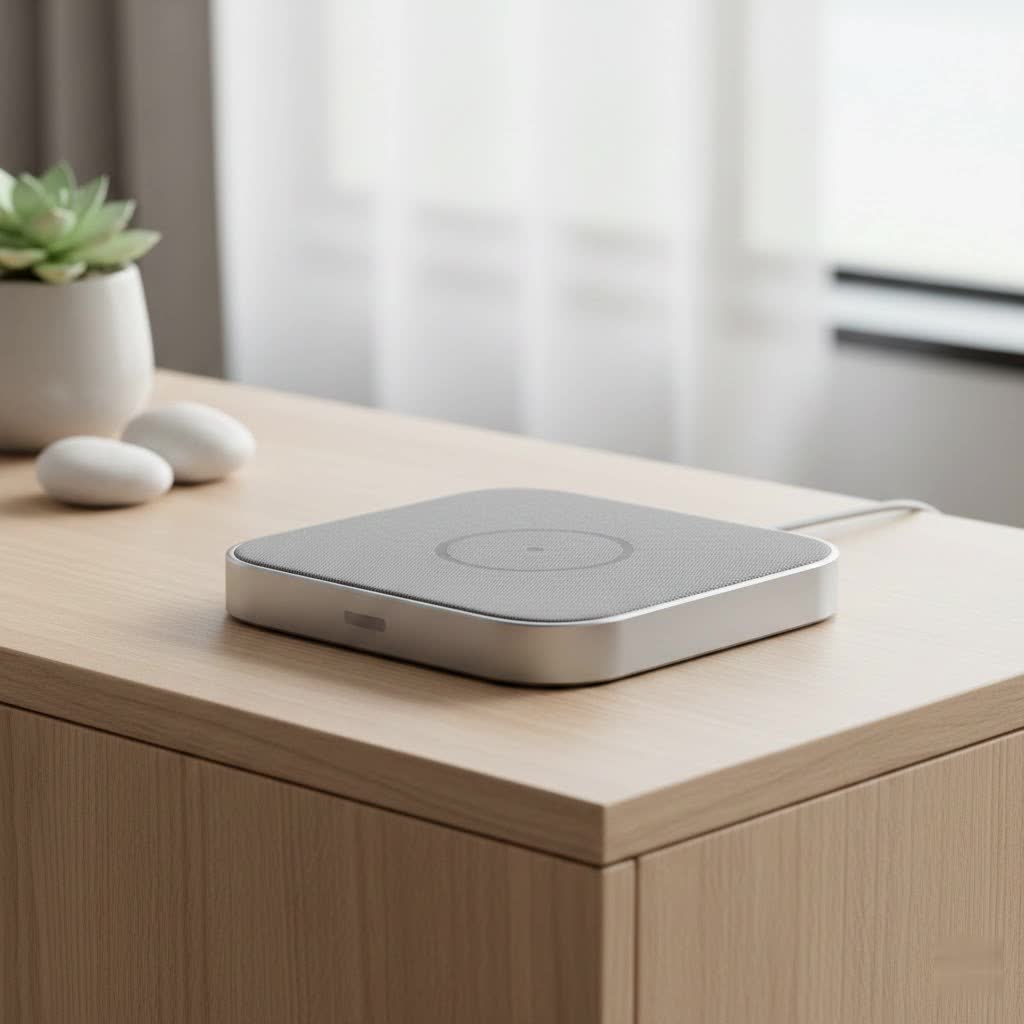
What Makes an iPhone Wireless Charger “Fast”? Understanding the Watts and Standards
When we talk about “fast” wireless charging for your iPhone, we’re primarily looking at the power output, measured in watts (W), and the charging standard being used. It’s a bit like a highway: the wattage is the speed limit, and the standard is the type of road.
Understanding the Wireless Charging Landscape
- Standard Qi (Qi1): The Foundation
- This is the universal baseline for wireless charging. Most iPhones, starting from the iPhone 8 series, support Qi wireless charging. However, for iPhones, standard Qi chargers typically deliver a maximum of 7.5W. This is convenient for overnight charging or when speed isn’t the absolute priority, but it’s not truly “fast.”
- MagSafe: Apple’s Magnetic Marvel
- Introduced with the iPhone 12 series, MagSafe is Apple’s proprietary magnetic wireless charging technology. It utilizes a ring of magnets to perfectly align your iPhone with the charging coil, ensuring optimal efficiency and a secure connection. MagSafe chargers can deliver up to 15W of power to compatible iPhones, effectively doubling the speed of standard Qi charging for these models.
- Qi2: The Universal Game Changer
- The latest advancement, Qi2, is a new standard developed by the Wireless Power Consortium (WPC) with significant contributions from Apple. It incorporates a “Magnetic Power Profile” (MPP) directly inspired by MagSafe technology. This means Qi2 chargers also offer magnetic alignment, leading to improved efficiency and charging speeds of up to 15W for compatible iPhones, starting with the iPhone 15 family. It effectively brings the benefits of MagSafe to a broader range of devices and manufacturers.
- Beyond 15W: The Future is Here
- For the newest iPhones, like the iPhone 16 and later, the landscape is evolving even further. Emerging Qi2.2.1 technology is showing capabilities of up to 25W wireless charging, especially when paired with active cooling systems in the charger. This pushes wireless charging speeds closer to what we typically see with wired connections.
|
Our Picks for the Best Wireless Charger in 2026
As an Amazon Associate I earn from qualifying purchases.
|
||
| Num | Product | Action |
|---|---|---|
| 1 | Magnetic Wireless Charger 15W Mag Safe Charger-Fast Charging Pad Compatible with iPhone17/16/15/14/13/12 Series & Airpods 2 3 Pro-LED Mag-Safe Pad with Dual Charging Ports Original Replacement(White) |

|
| 2 | Amazon Basics 15W Qi Certified Wireless Charging Pad for iPhone 16/15/14/13/12/11/X, Samsung and More, with USB Cable, Black |
|
| 3 | Wireless Charger Samsung Fast Charging Pad for Samsung Galaxy S25 Ultra/S24 FE/S23 Ultra/S22/S21/Z Flip 6 5,15W Wireless Charging Station Charger Mat and QC Adapter for Google Pixel 9 8a 7a 8 7 Pro |
|
| 4 | [Apple MFi Certified]Magnetic Wireless Charger Apple Mag Safe Charger,15W 6FT Fast Wireless Charging Pad for Apple iPhone 16 Pro Max/16 Pro/16 Plus/15 Pro Max/14/13/12/AirPods3/2/Pro/Pro2,Charging Pad |
|
| 5 | NeverFall Car Phone Holder for MagSafe [78+LBS Ultra Grip - 2400gf Magnetic Power] 360° Foldable Car Mount Cell Phone Holders for Your Car for iPhone 17-12 and All Smartphones, Carbon Fiber |
|
| 6 | Magnetic Wireless Charger 15W Fast Mag Safe Charger for Cell iPhone 17 Pro Max/17 Pro/17 Air/17/16/15/14/13/12 Series 2 Pack Charging Pad for AirPods 3/2/Pro 2/Pro Mag-Safe Original Replacement |
|
| 7 | LỖI |
|
| 8 | INIU Wireless Charger, 15W Fast Qi Certified Wireless Charging Station with Sleep-Friendly Adaptive Light Compatible with iPhone 17 16 15 14 13 12 Pro Max Samsung Galaxy S25 S24 S23 Note 20 Google etc |
|
| 9 | [Apple MFi Certified]Magnetic Wireless iPhone Charger Magsafe Charger,6FT 15W Fast Phone Charging Pad Wireless Magnetic Charge for iPhone 17/17Air/16 Pro Max/16 Plus/15 Pro Max/14/13/12/AirPods3/2/Pro |
|
| 10 | Samsung 15W Wireless Charger Single, Cordless Super Fast Charging Pad for Galaxy Phones and Devices, Compact Design, LED Indicator, USB C Cable Included, 2022, US Version, Grey |
|
How Many Watts Does Your iPhone Actually Need?
It’s a common misconception that simply buying a higher wattage charger guarantees faster charging. Here’s the truth: your iPhone dictates its maximum wireless charging input.
- iPhone 8 through iPhone 11 series: These models are limited to 7.5W with any Qi-certified wireless charger.
- iPhone 12 through iPhone 15 series: These iPhones can achieve 15W wireless charging speeds, but only when using an Apple MagSafe Charger or a Qi2-certified wireless charger. With a standard Qi charger, they will still top out at 7.5W.
- iPhone 15 series and newer: These models natively support the new Qi2 standard, allowing them to benefit from 15W magnetic wireless charging from Qi2-certified accessories.
So, investing in a 15W MagSafe or Qi2 charger for an iPhone 11, for example, won’t make it charge any faster than a 7.5W Qi charger. Always match the charger’s capabilities with your iPhone’s support.
The Core Technologies Behind Speedy iPhone Wireless Charging
Understanding the underlying technology helps you appreciate why certain chargers perform better and how to get the most out of them.
MagSafe: Apple’s Magnetic Alignment Advantage
MagSafe isn’t just a fancy name; it’s a critical innovation for fast wireless charging on iPhones. Before MagSafe, achieving optimal wireless charging required precise placement of your iPhone on the charging pad. Even a slight misalignment could drastically reduce efficiency and speed, leading to frustratingly slow charges and wasted energy.
MagSafe solves this by integrating a ring of magnets into the iPhone’s back and the MagSafe charger itself. This magnetic connection ensures your iPhone snaps into the perfect position every single time. This precise alignment guarantees that the charging coils in both your phone and the charger are perfectly matched, maximizing power transfer and enabling that coveted 15W fast charging speed. Beyond just power, MagSafe has also opened up an entire ecosystem of accessories, from wallets to stands, that securely attach to your iPhone.
Qi2: The Universal Standard Steps Up Its Game
The Wireless Power Consortium (WPC), the organization behind the universal Qi standard, recognized the brilliance of Apple’s MagSafe. Their response? Qi2. This new standard evolved from the original Qi, incorporating a “Magnetic Power Profile” (MPP) that brings magnetic alignment to a broader range of devices.
For iPhone users, Qi2 is a fantastic development. It means you can now get 15W magnetic fast wireless charging from a wider array of Qi2-certified accessories, not just those with Apple’s official MagSafe branding. This innovation not only boosts charging speed and efficiency but also enhances safety features, including improved heat management and more accurate Foreign Object Detection (FOD). Qi2 represents a unified future for fast, magnetically aligned wireless charging across various devices, building on the best features of the original Qi standard while integrating the benefits of MagSafe.
Beyond the Charger: Factors Influencing Your iPhone’s Wireless Charging Speed
While the charger itself is crucial, it’s just one piece of the puzzle. Several other factors can significantly impact how quickly your iPhone powers up wirelessly.
The Right Power Adapter and Cable are Non-Negotiable
A fast wireless charger is only as good as the power source it’s connected to. For your 15W MagSafe or Qi2 charger to deliver its full potential, you’ll need a compatible wall adapter. Apple recommends a 20W or higher USB-C Power Delivery (PD) adapter. Using a lower wattage adapter (like an older 5W or 7.5W adapter) or a standard USB-A charger will bottleneck the power, resulting in slower charging, even if your wireless pad is capable of 15W. In fact, iOS 18 and later can even display a “Slow Charger” message on your Lock Screen if it detects that a higher-wattage charger could improve your charging experience. iOS 26 takes this a step further, notifying you of an “Incompatible Charger” if a connected charger isn’t delivering power at all.
Temperature Matters: Keep Your iPhone Cool
Heat is the enemy of fast charging and battery longevity. Your iPhone is designed to protect itself from excessive heat. If your device gets too warm during charging, it will intelligently slow down or even temporarily pause the charging process until its temperature returns to a safe operating range.
This is why charging your iPhone in a cooler environment can actually speed things up. Avoid charging in direct sunlight, under blankets, or in hot cars. Some advanced wireless chargers, especially those supporting higher wattages like the upcoming 25W Qi2.2.1, incorporate active cooling fans to manage heat and sustain faster charging speeds.
Connected Accessories and App Usage
Believe it or not, what’s plugged into your iPhone or what apps you’re running can also affect wireless charging.
- Wired Accessories: If you connect wired accessories (like Lightning or USB-C headphones) to your iPhone while wirelessly charging, the system may limit wireless charging to 7.5W to comply with regulatory standards. Disconnecting these accessories can restore faster wireless charging.
- Intensive Apps: Running graphics-intensive games, streaming high-quality video, or using processor-heavy apps can generate heat and consume significant power. If your iPhone is working hard, it will divert power to those tasks, reducing the amount available for charging and potentially slowing the process. If you need a rapid charge, consider limiting your iPhone’s active usage.
iPhone’s Battery Health and the Charging Curve
Your iPhone’s battery health also plays a role. Apple’s “Optimized Battery Charging” feature learns your daily charging routine and aims to reduce battery aging by charging past 80% only when you need it. Even without this feature, all lithium-ion batteries exhibit a “charging curve” where the charging rate naturally slows down significantly once the battery reaches around 60-80% capacity. This is a deliberate design choice to protect the battery from damage and extend its overall lifespan. So, don’t be alarmed if the last 20% takes longer than the first 20%; it’s perfectly normal and beneficial for your battery.
Choosing the Best Fast Wireless Charger for Your iPhone: An Rbxyz.com Guide
Navigating the wireless charger market can feel overwhelming, but armed with the right knowledge, you can make an informed decision. Here’s how to pick the perfect fast wireless charger for your iPhone:
- Compatibility First: Always check which wireless charging standards (Qi, MagSafe, Qi2) your specific iPhone model supports. If you have an iPhone 12 or newer, opting for a MagSafe or Qi2 charger will unlock the fastest 15W speeds. Older models will only charge at 7.5W, regardless of the charger’s wattage.
- Charging Speed & Wattage: Understand your iPhone’s maximum input. For 15W charging, ensure the charger explicitly states MagSafe compatibility or Qi2 certification. Remember to pair it with a 20W or higher USB-C power adapter.
- Safety Features are Paramount: Look for chargers with built-in safety mechanisms like Foreign Object Detection (FOD), overcharge protection, and robust heat management. Reputable brands are more likely to have these certifications and safeguards in place.
- Build Quality & Design: Consider durability and functionality. Do you prefer a sleek pad, a versatile stand for viewing, or a multi-device charging station that can power your AirPods and Apple Watch simultaneously? Non-slip surfaces and quality materials like aluminum alloy are a plus.
- “Fast wireless charging is a marvel, but true mastery lies in understanding its nuances. It’s not just about raw speed, but about smart charging habits that nurture your iPhone’s battery health for the long run,” says Dr. Anya Sharma, a lead wireless power researcher at the Rbxyz.com labs.
Rbxyz.com Pro Tip: Balancing Speed and Battery Longevity
While fast charging is incredibly convenient for quick top-ups throughout the day, consider your charging routine. For overnight charging, a slower 5W or 7.5W speed is often more than sufficient and can actually be gentler on your iPhone’s battery over its lifetime. Using fast charging judiciously for when you truly need a rapid power boost can help maintain your battery’s health in the long run.
Frequently Asked Questions (FAQ)
Q: Is fast wireless charging bad for my iPhone battery?
A: Generally, no. Modern iPhones and certified wireless chargers (MagSafe, Qi2) incorporate advanced battery management systems and safety features to prevent damage from fast charging. However, excessive heat can degrade battery health over time, so ensure you charge in a cool environment.
Q: Can I use any wireless charger for fast charging my iPhone?
A: No. While all iPhones from the 8 series onwards support Qi wireless charging, only iPhone 12 models and newer can achieve 15W fast wireless charging using a MagSafe or Qi2-certified charger. Older iPhones are capped at 7.5W.
Q: What’s the difference between MagSafe and Qi2?
A: MagSafe is Apple’s proprietary magnetic wireless charging technology. Qi2 is an open standard developed by the WPC, which was inspired by MagSafe’s magnetic alignment technology. Both offer 15W fast wireless charging for compatible iPhones with magnetic alignment, but Qi2 aims for broader universal compatibility.
Q: Why does my iPhone charge slower after 80%?
A: This is a normal and intentional behavior designed to protect your iPhone’s battery and extend its lifespan. Charging speed naturally slows down after 60-80% capacity to prevent overheating and reduce stress on the battery cells.
Q: Do I need a special wall adapter for fast wireless charging?
A: Yes, for 15W fast wireless charging, you need a USB-C Power Delivery (PD) wall adapter that provides at least 20W of power. Using a lower wattage adapter will limit the charging speed of your wireless charger.
Q: Can I fast charge my older iPhone (e.g., iPhone 10) wirelessly?
A: The iPhone X (and similar older models like the 8, 8 Plus, XR, XS, 11) supports standard Qi wireless charging at up to 7.5W. It does not support the 15W fast wireless charging offered by MagSafe or Qi2 chargers.
Q: Does my iPhone case affect wireless charging speed?
A: Yes, it can. While most non-metallic cases (up to 8mm thick) work fine, very thick cases or cases made of metal can interfere with the wireless charging signal, slowing down or preventing charging altogether. For optimal performance, consider removing thick or metallic cases.
Conclusion
The world of “fast wireless charger iPhone” is exciting, offering unparalleled convenience and efficiency. By understanding the different charging standards like Qi, MagSafe, and Qi2, knowing your iPhone’s wattage compatibility, and being mindful of factors like power adapters and temperature, you’re now equipped to make smart choices. Choosing the right charger isn’t just about speed; it’s about optimizing your charging experience for both performance and long-term battery health. We at Rbxyz.com are committed to being your go-to source for demystifying these technologies, helping you confidently select, use, and maintain your wireless charging devices safely and effectively. Embrace the future of effortless power, and keep your iPhone ready for anything!
