Tired of fumbling with tangled cables every time your iPhone needs a power boost? Welcome to the world of Qi wireless charging for iPhone, where convenience meets cutting-edge technology. As your trusted experts at Rbxyz.com, we’re here to demystify everything about keeping your iPhone powered up effortlessly. Imagine simply placing your phone down and watching it charge – no plugs, no fuss. It’s not magic; it’s the brilliance of Qi, and understanding it will revolutionize your charging routine.
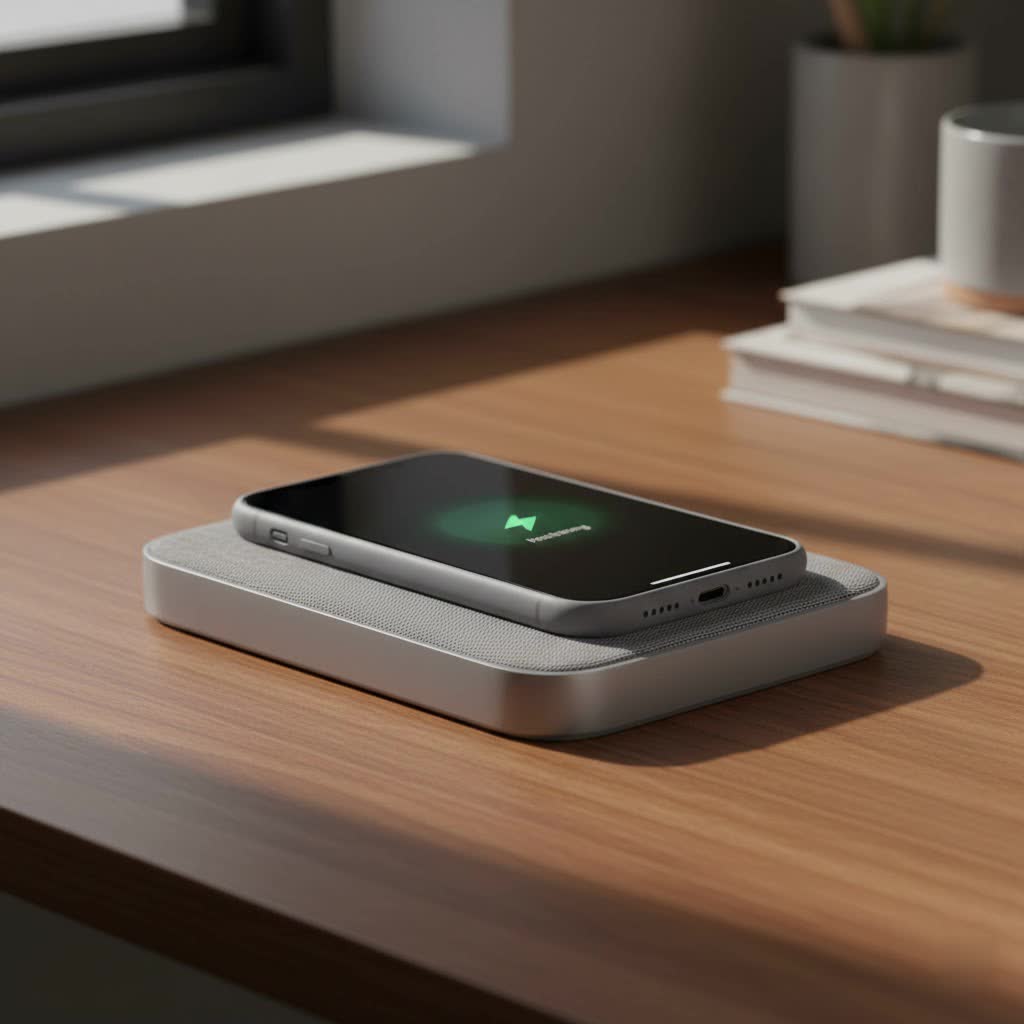
What is Qi Wireless Charging and How Does it Work with Your iPhone?
At its heart, Qi (pronounced “chee”) is the universally adopted standard for wireless power transfer. Developed by the Wireless Power Consortium (WPC), it’s the technology that allows countless devices, including your beloved iPhone, to charge without a single cable. Think of it as an invisible energy highway.
So, how does this invisible magic happen with your iPhone? The secret lies in something called electromagnetic induction. Inside every Qi-certified wireless charger, there’s a transmitting coil. Your iPhone, if it supports wireless charging, has a corresponding receiving coil. When you place your iPhone on the charging pad, these two coils align. The transmitting coil in the pad generates an electromagnetic field, which then induces an electric current in your iPhone’s receiving coil. This current is then converted into direct current (DC) to charge your iPhone’s battery. It’s a seamless exchange of energy, making charging as simple as setting your phone down.
The Evolution of iPhone Wireless Charging: Qi, Qi2, and MagSafe
The landscape of wireless charging for iPhone has evolved quite a bit, offering various levels of speed and convenience. Let’s break down the key players:
Original Qi: The Foundation of Wireless Freedom
|
Our Picks for the Best Wireless Charger in 2026
As an Amazon Associate I earn from qualifying purchases.
|
||
| Num | Product | Action |
|---|---|---|
| 1 | Amazon Basics 15W Qi Certified Wireless Charging Pad for iPhone 16/15/14/13/12/11/X, Samsung and More, with USB Cable, Black |

|
| 2 | [Apple MFi Certified]Magnetic Wireless iPhone Charger Magsafe Charger,6FT 15W Fast Phone Charging Pad Wireless Magnetic Charge for iPhone 17/17Air/16 Pro Max/16 Plus/15 Pro Max/14/13/12/AirPods3/2/Pro |
|
| 3 | NeverFall Car Phone Holder for MagSafe [78+LBS Ultra Grip - 2400gf Magnetic Power] 360° Foldable Car Mount Cell Phone Holders for Your Car for iPhone 17-12 and All Smartphones, Carbon Fiber |
|
| 4 | Magnetic Wireless Charger 15W Mag Safe Charger-Fast Charging Pad Compatible with iPhone17/16/15/14/13/12 Series & Airpods 2 3 Pro-LED Mag-Safe Pad with Dual Charging Ports Original Replacement(White) |
|
| 5 | Wireless Charger Samsung Fast Charging Pad for Samsung Galaxy S25 Ultra/S24 FE/S23 Ultra/S22/S21/Z Flip 6 5,15W Wireless Charging Station Charger Mat and QC Adapter for Google Pixel 9 8a 7a 8 7 Pro |
|
| 6 | [Apple MFi Certified]Magnetic Wireless Charger Apple Mag Safe Charger,15W 6FT Fast Wireless Charging Pad for Apple iPhone 16 Pro Max/16 Pro/16 Plus/15 Pro Max/14/13/12/AirPods3/2/Pro/Pro2,Charging Pad |
|
| 7 | INIU Wireless Charger, 15W Fast Qi Certified Wireless Charging Station with Sleep-Friendly Adaptive Light Compatible with iPhone 17 16 15 14 13 12 Pro Max Samsung Galaxy S25 S24 S23 Note 20 Google etc |
|
| 8 | Magnetic Wireless Charger 15W Fast Mag Safe Charger for Cell iPhone 17 Pro Max/17 Pro/17 Air/17/16/15/14/13/12 Series 2 Pack Charging Pad for AirPods 3/2/Pro 2/Pro Mag-Safe Original Replacement |
|
| 9 | Samsung 15W Wireless Charger Single, Cordless Super Fast Charging Pad for Galaxy Phones and Devices, Compact Design, LED Indicator, USB C Cable Included, 2022, US Version, Grey |
|
| 10 | LỖI |
|
Apple embraced the original Qi standard starting with the iPhone 8 and all subsequent models. This means any iPhone 8 or newer can wirelessly charge on a basic Qi-certified pad. These chargers typically deliver up to 7.5W of power to your iPhone. While incredibly convenient, the original Qi standard often required precise placement to hit that “sweet spot” for efficient charging. A slight nudge could interrupt the connection, leading to slower charging or no charge at all.
MagSafe: Apple’s Magnetic Revolution
Introduced with the iPhone 12 series, MagSafe is Apple’s proprietary magnetic charging technology. It’s built on the Qi standard but adds a crucial element: magnets. A ring of magnets embedded in your iPhone and the MagSafe charger ensures perfect alignment every single time. This magnetic connection not only guarantees efficient power transfer but also opens up a world of MagSafe accessories that snap securely into place. MagSafe chargers typically deliver up to 15W of power to compatible iPhones, significantly faster than the 7.5W of standard Qi. For the very latest iPhones, like the iPhone 16 and 17, Apple’s updated MagSafe chargers can even push speeds up to 25W.
Qi2: The Universal Magnetic Future
The latest advancement in wireless charging is Qi2, an open standard developed by the WPC, with significant input from Apple. Think of Qi2 as the “universal MagSafe.” It incorporates the Magnetic Power Profile (MPP), essentially bringing MagSafe-like magnetic alignment and efficiency to a broader range of Qi-certified devices. iPhones from the iPhone 15 series and later are compatible with Qi2. This means you get the benefits of perfect magnetic alignment, faster charging speeds (up to 15W), and improved thermal management, all within an open standard that supports various brands. Qi2 enhances the charging experience by reducing wasted energy and heat, making it safer and more stable.
Which iPhone Models Support Qi Wireless Charging?
The good news is that most modern iPhones are ready for wireless charging. Here’s a quick rundown:
- All iPhones from iPhone 8 onwards (including iPhone X, XR, XS, 11, SE 2nd/3rd gen, 12, 13, 14, 15, 16, 17 series) support the original Qi standard at up to 7.5W.
- iPhone 12 series and later (including 13, 14, 15, 16, 17 series) support MagSafe charging at up to 15W (or 25W for iPhone 16/17 with specific MagSafe chargers).
- iPhone 15 series and later are compatible with the new Qi2 standard, also offering up to 15W with magnetic alignment.
If you have an iPhone 8, iPhone X, iPhone 11, or any newer model, you’re all set for wireless charging!
Why Embrace Qi Wireless Charging for Your iPhone?
Beyond the cool factor, Qi wireless charging offers some serious advantages that enhance your daily tech life:
Unparalleled Convenience: Just Drop and Charge!
This is, without a doubt, the number one benefit. No more hunting for the right cable in a dimly lit room or fumbling with tiny ports. Simply place your iPhone on a charging pad or stand, and it starts charging. It’s perfect for your desk, nightstand, or even integrated into your car or furniture. This effortless “drop and go” approach makes keeping your battery topped up a breeze throughout the day.
Extended Device Lifespan: Say Goodbye to Port Wear and Tear
Constant plugging and unplugging can take a toll on your iPhone’s Lightning or USB-C port, not to mention the charging cables themselves. Wireless charging eliminates this physical wear and tear, potentially extending the lifespan of your device’s charging port and saving you money on replacement cables.
Enhanced Versatility: Power Up Multiple Devices Simultaneously
Many Qi wireless chargers today come as multi-device stations, capable of charging your iPhone, Apple Watch, and AirPods simultaneously on a single pad. This reduces clutter, simplifies your charging setup, and streamlines your power routine. With one elegant solution, your entire Apple ecosystem stays charged and ready.
Improved Safety: Smarter, Cooler Charging
Newer standards like Qi2 bring significant safety improvements. With features like real-time temperature monitoring and power adjustment, Qi2 chargers prevent overheating during extended charging sessions. This better heat control is crucial for maintaining your iPhone’s battery health over time, ensuring a safer and more efficient charging experience.
Choosing the Best Qi Wireless Charger for Your iPhone
With so many options on the market, selecting the right Qi wireless charger for your iPhone can feel overwhelming. Here’s what our experts recommend considering:
- Compatibility: First, check which standards your iPhone supports. Do you want basic Qi (7.5W for iPhones), MagSafe (15W/25W for newer iPhones), or Qi2 (15W for iPhone 15+)? Ensure the charger you pick is certified for the standard your iPhone uses.
- Charging Speed: While all compatible iPhones will charge wirelessly, the speed can vary. If fast charging is a priority, look for MagSafe or Qi2 chargers that offer 15W (or 25W for the latest iPhones). Standard Qi will be sufficient for overnight charging or topping up throughout the day.
- Design and Features:
- Pads: Flat and discreet, great for nightstands.
- Stands: Keep your iPhone upright, perfect for video calls or glanceable notifications.
- Multi-Device Chargers: Ideal for powering your iPhone, Apple Watch, and AirPods from one hub.
- Portability: Foldable chargers are excellent for travel.
- Certification: Always opt for Qi-certified chargers. For MagSafe-compatible options, look for “Made for MagSafe” or “Qi2 certified” to ensure optimal performance and safety. Reputable brands like Anker, Belkin, and ESR consistently deliver high-quality, certified products.
Troubleshooting Common Qi Wireless Charging Issues on iPhone
Even with the best technology, sometimes things don’t go as planned. If your iPhone isn’t wirelessly charging, don’t fret! Here are some common issues and their straightforward solutions:
Misalignment: Finding the Sweet Spot (Especially for Original Qi)
- Problem: The charger’s coil and your iPhone’s coil aren’t perfectly lined up.
- Fix: For older Qi pads, slowly adjust your iPhone’s position on the charger until the charging indicator appears on your screen. Newer MagSafe and Qi2 chargers largely solve this with their magnetic alignment, but ensure a solid magnetic connection.
Interfering Cases or Objects: Clearing the Path
- Problem: Thick phone cases (especially those with metal components or pop grips) or foreign objects (like credit cards or keys) between your iPhone and the charger can block power transfer.
- Fix: Remove your phone case and any objects from the charging surface. If it charges, your case might be the culprit. Consider a wireless-charging-friendly case that is thinner and non-metallic.
Overheating: Giving Your iPhone a Break
- Problem: If your iPhone gets too warm (perhaps from heavy use or sun exposure), its software might temporarily limit or stop charging above 80% to protect the battery.
- Fix: Remove your iPhone from the charger and let it cool down for a few minutes. Move both the iPhone and charger to a cooler location, away from direct sunlight.
Software Glitches: The Digital Reset
- Problem: Sometimes, minor software bugs in iOS can interrupt charging functionality.
- Fix: A simple restart of your iPhone can often resolve these temporary glitches. Also, ensure your iPhone is running the latest version of iOS, as Apple frequently releases updates that include performance improvements and bug fixes for charging.
Faulty Charger or Power Source: Testing Your Equipment
- Problem: The charger itself might be faulty, or the power adapter/outlet isn’t supplying enough power.
- Fix:
- Try a different Qi-certified wireless charger if you have one.
- Use the power adapter that came with your wireless charger (or one recommended by the manufacturer).
- Test the charger with a different power outlet.
- Ensure all cables are securely connected.
Expert Insight: A Word from Our Wireless Charging Guru
“In my decade of experience, the biggest game-changer in wireless charging has been the move towards magnetic alignment with MagSafe and Qi2,” says Robert Chen, our lead wireless charging specialist at Rbxyz.com. “It eliminates the guesswork, boosts efficiency, and makes the entire charging process significantly more reliable and user-friendly. Don’t underestimate the impact of a good magnetic connection – it’s key to a truly seamless experience.”
FAQs about Qi Wireless Chargers for iPhone
Here are some common questions we hear about Qi wireless charging for iPhones:
Q: Can I use any Qi charger with my iPhone?
A: Yes, all iPhones from the iPhone 8 onwards are compatible with any Qi-certified wireless charger. However, for faster charging and magnetic alignment, you’ll need a MagSafe or Qi2 charger if you have a compatible iPhone model (iPhone 12+ for MagSafe, iPhone 15+ for Qi2).
Q: Is wireless charging bad for my iPhone’s battery?
A: No, wireless charging is designed to be safe for your iPhone’s battery health. Modern chargers and iPhones have built-in mechanisms to prevent overheating and overcharging. In fact, features like optimized battery charging in iOS and thermal management in Qi2 help maintain battery longevity.
Q: What’s the fastest way to wirelessly charge my iPhone?
A: For iPhones 12 and later, a MagSafe charger will provide up to 15W. For iPhone 15 and later, a Qi2 charger will also deliver up to 15W with magnetic alignment. For the newest iPhones (16/17 series), an updated Apple MagSafe charger can offer up to 25W.
Q: Do I need a special case for wireless charging?
A: Not necessarily. Most standard, non-metallic cases will work fine with Qi wireless chargers. However, very thick cases or those with metal plates/magnets (unless they are MagSafe-compatible) can interfere with charging. For optimal performance with MagSafe or Qi2, a MagSafe-compatible case is recommended.
Q: My iPhone is charging slowly, what should I do?
A: Check for proper alignment, ensure your case isn’t too thick or metallic, verify that the charger and power adapter are powerful enough (look for 7.5W, 15W, or 25W ratings), and make sure your iPhone isn’t overheating. Also, a quick iPhone restart can sometimes resolve slow charging issues.
Conclusion
Embracing Qi wireless charging for your iPhone is a natural evolution in how we interact with our devices. It offers a level of convenience, efficiency, and elegant simplicity that traditional wired charging simply can’t match. From the foundational Qi standard to the magnetic innovation of MagSafe and the universal appeal of Qi2, keeping your iPhone powered up has never been easier or smarter.
We hope this guide empowers you to confidently choose, use, and troubleshoot your Qi Wireless Charger Iphone. At Rbxyz.com, we’re dedicated to being your go-to source for all things wireless charging, ensuring you always have the knowledge to make the best choices for your tech. So go ahead, ditch the cables, and experience the freedom of wireless power today! Share your wireless charging journey with us – we’d love to hear your experiences and help you optimize your setup.
