Hey there, fellow audio enthusiasts! If you’re anything like me, your Beats earbuds are an essential part of your daily rhythm, keeping you motivated at the gym, focused at work, or simply lost in your favorite tunes. The last thing you want is a dead battery interrupting your flow. That’s where the magic of a Beats Wireless Charger comes in, offering unparalleled convenience and a clutter-free charging experience.
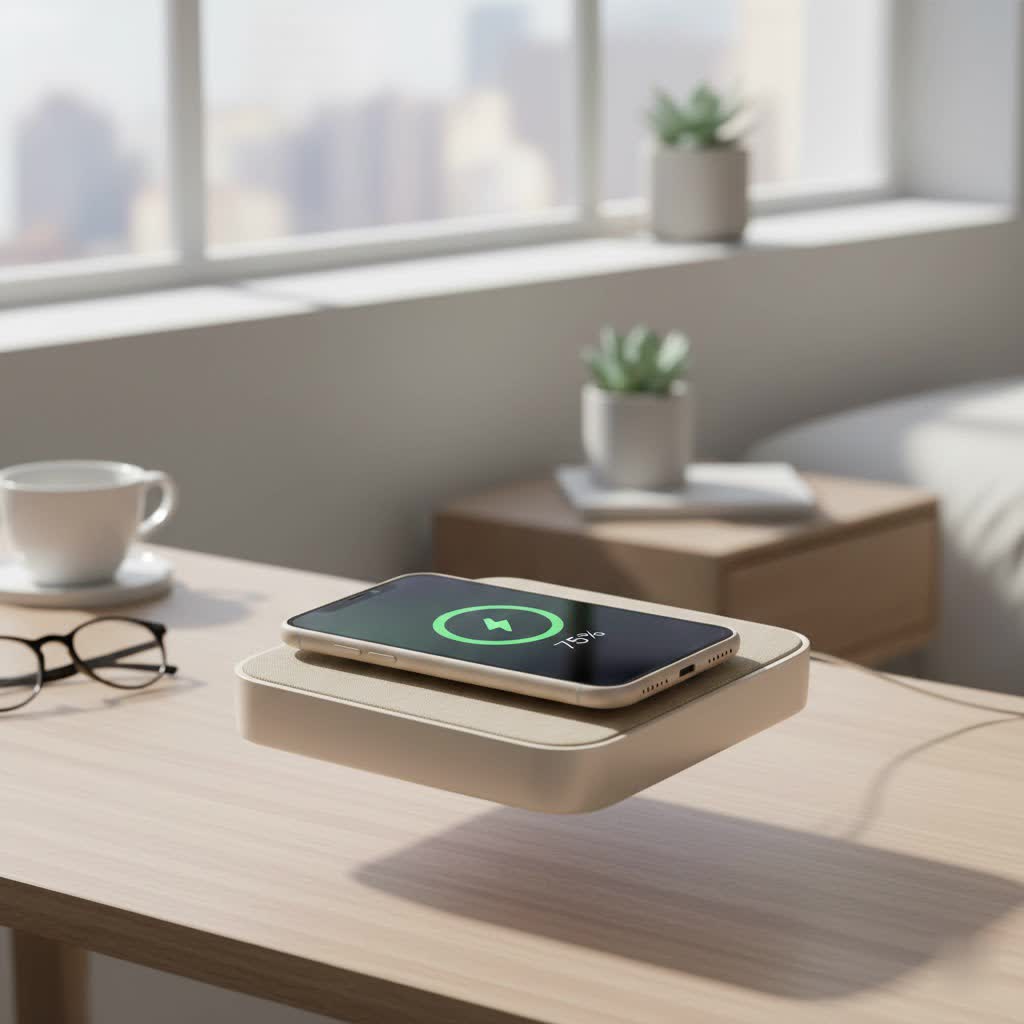
For years, we’ve wrestled with cables, searching for outlets, and dealing with tangled wires. But with the evolution of wireless charging technology, keeping your compatible Beats powered up has never been easier. We’re talking about placing your charging case down and letting the power flow, just like that. As someone who’s spent over a decade deep-diving into every aspect of wireless charging, from the intricate coils to the latest Qi2 standards, I’m excited to demystify how you can seamlessly integrate a wireless charger for Beats into your life.
Understanding Wireless Charging for Your Beats
Before we dive into the nitty-gritty, let’s clarify a common point of confusion: when we talk about a Beats wireless charger, we’re primarily referring to wirelessly charging the case of your earbuds, not the earbuds themselves directly. Think of it like a convenient power hub for your Beats.
The technology behind this marvel is called Qi (pronounced “chee”) wireless charging. It’s an open interface standard developed by the Wireless Power Consortium for inductive power transfer over distances of up to 4 centimeters (1.6 inches). In simpler terms, it allows compatible devices to charge by simply resting on a charging pad, without needing to plug in a cable directly to the device itself.
Which Beats Models Support Wireless Charging?
This is where it gets interesting, as not all Beats models are created equal when it comes to wireless charging capabilities. Over the years, Beats has expanded its offerings, and newer iterations have embraced this convenient feature.
Currently, the following Beats earbud cases are designed to support Qi wireless charging:
- Beats Fit Pro (newer models/cases): While early versions of the Beats Fit Pro charging case might not have included wireless charging, newer models or specific case bundles often do. It’s always a good idea to check your specific model’s specifications or look for the wireless charging symbol on the case.
- Beats Studio Buds+: These truly wireless earbuds come with a sleek, pocket-sized charging case that supports Qi wireless charging, making them incredibly convenient to power up.
- Powerbeats Pro 2: If you own the second generation of Powerbeats Pro, you’ll be pleased to know their charging case is Qi-certified, offering a seamless wireless charging experience.
|
Our Picks for the Best Wireless Charger in 2026
As an Amazon Associate I earn from qualifying purchases.
|
||
| Num | Product | Action |
|---|---|---|
| 1 | LỖI |

|
| 2 | INIU Wireless Charger, 15W Fast Qi Certified Wireless Charging Station with Sleep-Friendly Adaptive Light Compatible with iPhone 17 16 15 14 13 12 Pro Max Samsung Galaxy S25 S24 S23 Note 20 Google etc |
|
| 3 | Amazon Basics 15W Qi Certified Wireless Charging Pad for iPhone 16/15/14/13/12/11/X, Samsung and More, with USB Cable, Black |
|
| 4 | Magnetic Wireless Charger 15W Mag Safe Charger-Fast Charging Pad Compatible with iPhone17/16/15/14/13/12 Series & Airpods 2 3 Pro-LED Mag-Safe Pad with Dual Charging Ports Original Replacement(White) |
|
| 5 | Samsung 15W Wireless Charger Single, Cordless Super Fast Charging Pad for Galaxy Phones and Devices, Compact Design, LED Indicator, USB C Cable Included, 2022, US Version, Grey |
|
| 6 | [Apple MFi Certified]Magnetic Wireless iPhone Charger Magsafe Charger,6FT 15W Fast Phone Charging Pad Wireless Magnetic Charge for iPhone 17/17Air/16 Pro Max/16 Plus/15 Pro Max/14/13/12/AirPods3/2/Pro |
|
| 7 | NeverFall Car Phone Holder for MagSafe [78+LBS Ultra Grip - 2400gf Magnetic Power] 360° Foldable Car Mount Cell Phone Holders for Your Car for iPhone 17-12 and All Smartphones, Carbon Fiber |
|
| 8 | [Apple MFi Certified]Magnetic Wireless Charger Apple Mag Safe Charger,15W 6FT Fast Wireless Charging Pad for Apple iPhone 16 Pro Max/16 Pro/16 Plus/15 Pro Max/14/13/12/AirPods3/2/Pro/Pro2,Charging Pad |
|
| 9 | Magnetic Wireless Charger 15W Fast Mag Safe Charger for Cell iPhone 17 Pro Max/17 Pro/17 Air/17/16/15/14/13/12 Series 2 Pack Charging Pad for AirPods 3/2/Pro 2/Pro Mag-Safe Original Replacement |
|
| 10 | Wireless Charger Samsung Fast Charging Pad for Samsung Galaxy S25 Ultra/S24 FE/S23 Ultra/S22/S21/Z Flip 6 5,15W Wireless Charging Station Charger Mat and QC Adapter for Google Pixel 9 8a 7a 8 7 Pro |
|
It’s crucial to note that older models like the original Beats Studio Buds and the first generation Powerbeats Pro do not feature wireless charging. Similarly, over-ear headphones such as the Beats Solo and Beats Studio lines, along with the Beats Flex earphones, typically charge via a USB-C or Lightning cable and do not support wireless charging. This distinction is vital to ensure you pick the right Beats wireless charger for your specific device.
How to Wirelessly Charge Your Compatible Beats
Ready to cut the cord? Wirelessly charging your compatible Beats is wonderfully straightforward. Here’s a simple step-by-step guide:
- Place Your Earbuds in Their Case: Ensure both your Beats earbuds are securely nestled inside their charging case. The case acts as the conduit for the wireless power, so the earbuds need to be inside to receive a charge.
- Position the Case on a Qi-Certified Charger: Take your Beats charging case and place it squarely in the center of a Qi-certified wireless charging pad. Proper alignment is key here; most chargers have a sweet spot for optimal power transfer.
- Check for Charging Indicators: Your Beats charging case should have an LED indicator light. When placed correctly on a wireless charger, this light will typically illuminate (often amber or white, depending on the model and charge level) to confirm that charging has begun. Some chargers might also emit an audible chime. If the light doesn’t appear, try slightly adjusting the position of the case on the pad.
“Wireless charging isn’t just a gimmick; it’s a game-changer for daily convenience. For your Beats, it means less fumbling with cables and more time enjoying your music,” says Dr. Evelyn Reed, a leading expert in portable power solutions.
Choosing the Right Wireless Charger for Your Beats
With a plethora of wireless chargers on the market, how do you pick the best Beats wireless charger? Here’s what to look for:
- Qi-Certified is Non-Negotiable: Always opt for a charger that proudly displays its Qi certification. This ensures compatibility, safety, and efficient charging for your Beats. Non-certified chargers might not work effectively or could even pose a risk to your device.
- Wattage Considerations: While your Beats earbuds generally don’t require high wattage, a charger providing at least 5W to 10W will ensure efficient and reliable charging. Some advanced wireless charging stations offer 15W Qi2-certified fast charging, which is excellent for faster power-ups, though the benefits for small devices like earbud cases might be less dramatic than for a smartphone.
- Multi-Device Charging Capabilities: Many users, myself included, appreciate the versatility of a multi-device wireless charging station. Imagine a single pad that can power up your compatible Beats case, smartphone, and smartwatch all at once. Brands like Anker offer foldable 3-in-1 stations that are incredibly portable and perfect for both home and travel. This streamlines your charging setup, reducing cable clutter even further.
- Efficient Heat Dissipation: Wireless charging, by its nature, generates some heat. A high-quality charger will be designed with efficient heat dissipation to prevent overheating, which can impact battery longevity over time. Look for chargers with good ventilation or robust internal cooling systems.
- Brand Reputation and Reviews: Stick to reputable brands known for their quality and reliability in the charging accessories market. Reading user reviews can also provide valuable insights into a charger’s real-world performance.
Troubleshooting Common Wireless Charging Issues
Even with the best Beats wireless charger, you might occasionally encounter a hiccup. Here are some common issues and how to troubleshoot them:
- Beats Not Charging:
- Alignment: The most frequent culprit! Ensure your Beats charging case is perfectly centered on the wireless charging pad. Small adjustments can make a big difference.
- Obstructions: Remove any thick cases or metallic objects between your Beats case and the charging pad. These can interfere with the inductive charging field.
- Power Source: Make sure your wireless charger is properly plugged into a functional power outlet. Try a different outlet or USB power adapter if necessary.
- Charger Malfunction: If you have another Qi-compatible device, try charging it on the pad to determine if the issue lies with the charger itself.
- Slow Charging:
- Charger Output: Ensure your wireless charger provides sufficient wattage (at least 5W). Lower power chargers will naturally charge slower.
- Background Apps/Usage: While less common for earbud cases, if you’re attempting to wirelessly charge your phone simultaneously on a shared pad, heavy phone usage could slightly slow down overall charging.
- Heat: Excessive heat can trigger protective mechanisms that slow down charging. Ensure the charging environment is cool.
- Indicator Light Issues:
- If the indicator light on your Beats case isn’t behaving as expected (e.g., blinking unusually, not lighting up), consult your Beats user manual for specific light codes. A solid light usually indicates charging, while a green or white light often means fully charged.
Maximizing Battery Life and Longevity for Your Beats
A good Beats wireless charger is only one piece of the puzzle. To truly get the most out of your Beats and their battery, consider these tips:
- Always Use the Original or Certified Charging Case: It ensures the best fit, proper alignment, and optimal charging protocols for your specific Beats model.
- Keep Charging Contacts Clean: Periodically check for dirt, dust, or debris on the charging contacts of your earbuds and inside the case. A gentle wipe with a dry, soft cloth can prevent charging interruptions.
- Mind the Temperature: Avoid charging your Beats in extreme temperatures, whether very hot or very cold. High heat, in particular, can degrade battery health over time. A cool, dry environment is ideal.
- Avoid Constant Full Depletion: While modern batteries are robust, habitually letting them drain completely before recharging can slightly shorten their lifespan. Topping them up regularly is often better.
- Use Original or Certified Cables (if wired charging): For those times you opt for wired charging, always use the cable that came with your Beats or a reputable certified replacement. This ensures compatible power delivery.
Frequently Asked Questions (FAQ)
Q: Do all Beats models support wireless charging?
A: No, not all Beats models support wireless charging. Typically, newer earbud models like the Beats Studio Buds+ and Powerbeats Pro 2, as well as some newer Beats Fit Pro cases, feature Qi wireless charging capabilities for their cases. Older models and over-ear headphones usually charge via cable.
Q: Can I use any Qi-certified charger as a Beats wireless charger?
A: Yes, if your Beats charging case supports wireless charging, it should work with any standard Qi-certified wireless charging pad. However, for optimal performance and safety, it’s always recommended to use high-quality, reputable brands.
Q: What if my Beats aren’t charging wirelessly?
A: First, ensure your Beats case is properly aligned on the charging pad. Remove any obstructions like thick cases. Confirm the charging pad is plugged in and functional. If issues persist, try a different charging pad or cable charging to isolate the problem.
Q: How fast is wireless charging for Beats?
A: Wireless charging speeds for Beats earbuds are generally efficient enough for daily use. While not as fast as some wired fast charging methods, most 5W-10W Qi chargers will replenish your Beats case battery at a comfortable pace. Higher wattage (15W Qi2) chargers can offer a speed boost.
Q: Are wireless chargers safe for my Beats?
A: Yes, Qi-certified wireless chargers are designed to be safe for your compatible Beats. They incorporate safety features to prevent overcharging, overheating, and short circuits. Always choose certified products to ensure the highest safety standards.
Q: Does wireless charging harm the battery life of my Beats?
A: When using a certified Beats wireless charger, wireless charging does not inherently harm your Beats’ battery life any more than wired charging. Modern lithium-ion batteries are designed to handle various charging cycles. Following general battery care tips (like avoiding extreme temperatures) is more impactful for longevity.
Conclusion
Embracing a Beats wireless charger is more than just a tech upgrade; it’s a lifestyle enhancement. It’s about bringing unparalleled convenience and a touch of modern simplicity to your daily routine, ensuring your favorite Beats are always ready to deliver that signature sound whenever inspiration strikes. From understanding which models are compatible to picking the perfect Qi-certified pad and mastering a few simple troubleshooting tricks, you’re now equipped with the knowledge to make wireless power a seamless part of your audio journey. So go ahead, ditch the cables, and experience the freedom of effortlessly powering your sound. You’ll wonder how you ever lived without it!
