Remember the days of fumbling with tangled cables, searching for the right adapter, and wrestling with stubborn charging ports? Good news! The era of the Wireless Cell Phone Charger has revolutionized how we power our devices, bringing a sleek, convenient, and increasingly efficient way to keep our smartphones ready for action. As your go-to experts at Rbxyz.com, we’re here to guide you through everything you need to know about these innovative gadgets.
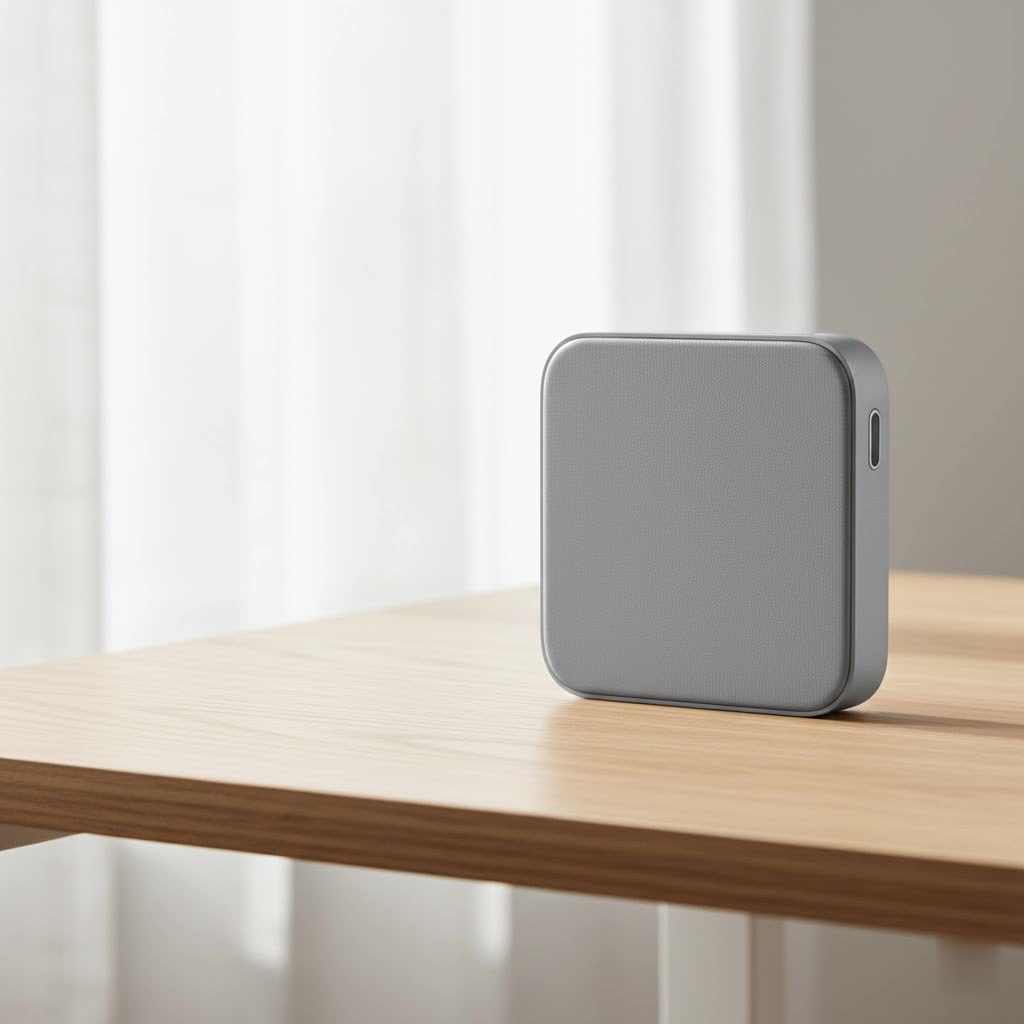
What Exactly is a Wireless Cell Phone Charger?
At its core, a wireless cell phone charger is a device that allows you to power up your smartphone without physically plugging a cable into its charging port. Instead, you simply place your phone onto a charging pad or stand, and voilà – power is transferred as if by magic. This “magic” is actually a clever application of electromagnetic induction, a principle that’s been around for over a century but has only recently become commonplace in our everyday tech.
The Magic Behind the Power: How Wireless Charging Works
So, how does this cable-free power transfer happen? It’s all thanks to an invisible dance between two coils: one inside your wireless cell phone charger (the transmitting coil) and another embedded within your smartphone (the receiving coil).
When you plug your wireless charger into a power outlet, an alternating electrical current flows through its transmitting coil. This current generates a fluctuating magnetic field around the charging pad. When your Qi-enabled phone is placed on this pad, its receiving coil enters this magnetic field. This interaction induces an electrical current in your phone’s coil, which is then converted into direct current (DC) and sent to charge your phone’s battery. This entire process, known as electromagnetic induction, eliminates the need for physical contact for power transfer.
The global standard for this technology, developed by the Wireless Power Consortium (WPC), is called Qi (pronounced “chee”). This standard ensures interoperability, meaning a Qi-certified wireless cell phone charger can power any Qi-compatible device, regardless of brand. Qi typically operates at frequencies between 110-205 kHz and works over short distances, usually up to 4 centimeters.
Why Go Cordless? The Benefits of a Wireless Cell Phone Charger
Adopting a wireless cell phone charger brings a host of advantages that can significantly streamline your daily routine and even benefit your device’s longevity.
Unmatched Convenience
|
Our Picks for the Best Wireless Charger in 2026
As an Amazon Associate I earn from qualifying purchases.
|
||
| Num | Product | Action |
|---|---|---|
| 1 | Magnetic Wireless Charger 15W Mag Safe Charger-Fast Charging Pad Compatible with iPhone17/16/15/14/13/12 Series & Airpods 2 3 Pro-LED Mag-Safe Pad with Dual Charging Ports Original Replacement(White) |

|
| 2 | Magnetic Wireless Charger 15W Fast Mag Safe Charger for Cell iPhone 17 Pro Max/17 Pro/17 Air/17/16/15/14/13/12 Series 2 Pack Charging Pad for AirPods 3/2/Pro 2/Pro Mag-Safe Original Replacement |
|
| 3 | Samsung 15W Wireless Charger Single, Cordless Super Fast Charging Pad for Galaxy Phones and Devices, Compact Design, LED Indicator, USB C Cable Included, 2022, US Version, Grey |
|
| 4 | INIU Wireless Charger, 15W Fast Qi Certified Wireless Charging Station with Sleep-Friendly Adaptive Light Compatible with iPhone 17 16 15 14 13 12 Pro Max Samsung Galaxy S25 S24 S23 Note 20 Google etc |
|
| 5 | [Apple MFi Certified]Magnetic Wireless iPhone Charger Magsafe Charger,6FT 15W Fast Phone Charging Pad Wireless Magnetic Charge for iPhone 17/17Air/16 Pro Max/16 Plus/15 Pro Max/14/13/12/AirPods3/2/Pro |
|
| 6 | NeverFall Car Phone Holder for MagSafe [78+LBS Ultra Grip - 2400gf Magnetic Power] 360° Foldable Car Mount Cell Phone Holders for Your Car for iPhone 17-12 and All Smartphones, Carbon Fiber |
|
| 7 | LỖI |
|
| 8 | [Apple MFi Certified]Magnetic Wireless Charger Apple Mag Safe Charger,15W 6FT Fast Wireless Charging Pad for Apple iPhone 16 Pro Max/16 Pro/16 Plus/15 Pro Max/14/13/12/AirPods3/2/Pro/Pro2,Charging Pad |
|
| 9 | Amazon Basics 15W Qi Certified Wireless Charging Pad for iPhone 16/15/14/13/12/11/X, Samsung and More, with USB Cable, Black |
|
| 10 | Wireless Charger Samsung Fast Charging Pad for Samsung Galaxy S25 Ultra/S24 FE/S23 Ultra/S22/S21/Z Flip 6 5,15W Wireless Charging Station Charger Mat and QC Adapter for Google Pixel 9 8a 7a 8 7 Pro |
|
Imagine walking into your home or office, casually placing your phone on a pad, and seeing it instantly begin to charge. No more fumbling in the dark to find the charging port or untangling a mess of wires. This grab-and-go simplicity is arguably the biggest draw of the wireless cell phone charger. Many users even set up multiple pads around their home and workspace for seamless power top-ups throughout the day.
Port Longevity
Constantly plugging and unplugging a charging cable can put a surprising amount of wear and tear on your phone’s delicate charging port. Over time, this can lead to loose connections or even damage, requiring costly repairs. A wireless cell phone charger bypasses this issue entirely, preserving your device’s port for when you truly need it.
Aesthetic Appeal
Let’s be honest, a desktop or nightstand cluttered with cables isn’t exactly a picture of zen. A wireless cell phone charger, often designed to be sleek and minimalistic, helps reduce visual clutter, contributing to a cleaner, more organized environment.
Versatility and Safety
Many modern wireless chargers can power multiple devices simultaneously – think your phone, earbuds, and smartwatch all on one convenient pad. Beyond convenience, certified wireless cell phone chargers come with built-in safety features like temperature regulation and foreign object detection, reducing risks associated with electrical faults or overheating. “Modern wireless charging technologies are rigorously tested to ensure not just convenience, but also the utmost safety for your devices,” explains Clara Evans, Lead Technology Analyst at Rbxyz.com. “Choosing Qi-certified products is crucial for peace of mind.”
Boosting Battery Health
While some older perceptions might link wireless charging to battery degradation, modern, certified wireless cell phone chargers are designed with advanced temperature monitoring. By actively regulating the temperature during the charging process, these chargers can help maintain optimal conditions, potentially contributing to the long-term health and lifespan of your phone’s battery.
The Not-So-Wireless Realities: Downsides and Considerations
While the perks are many, it’s also important to understand the limitations of wireless cell phone chargers.
Still Tethered (Mostly)
It’s true, your phone is “wireless” when on the pad, but the charging pad itself still needs to be plugged into a power outlet. So, while you eliminate the cable to your phone, you don’t eliminate cables entirely. We’re still a ways off from truly “over-the-air” power for consumer devices.
Speed vs. Convenience
Historically, wired charging has always been faster than wireless. While wireless charging speeds have improved dramatically, especially with newer standards, a high-wattage wired charger can often still deliver a quicker power boost when you’re in a hurry. However, the gap is narrowing significantly with advancements like Qi2.
Heat and Efficiency
The process of electromagnetic induction isn’t 100% efficient; some energy is inevitably lost as heat during transfer. While certified wireless cell phone chargers are designed to manage this heat and prevent damage, it’s a factor to be aware of. Excessive heat can, over prolonged periods or with non-certified chargers, impact battery health.
The “Sweet Spot” Challenge
For traditional Qi chargers, your phone needs to be precisely aligned on the charging pad for optimal power transfer. Even a slight misalignment can lead to slower charging or no charging at all. This “sweet spot” hunting can sometimes negate the convenience factor.
Case Conflicts
While many thin plastic or silicone cases work fine, thicker cases (over 5mm), cases with metal components, or those holding credit cards can interfere with the magnetic field and prevent your wireless cell phone charger from working effectively. Metal, in particular, can block the charge and even heat up dangerously.
Decoding the Standards: Qi, MagSafe, and Qi2
The world of wireless charging has seen exciting evolution, with several key standards shaping the experience.
Qi: The Universal Language
As mentioned, Qi is the most widely adopted universal standard, ensuring a broad range of compatibility across different smartphone brands and accessory manufacturers. Most modern Android phones, iPhones (from iPhone 8 onwards), and various other gadgets support Qi wireless charging.
MagSafe: Apple’s Magnetic Innovation
Introduced by Apple, MagSafe takes wireless charging for iPhones (starting with the iPhone 12 series) to the next level. It uses embedded magnets in both the iPhone and the charger to ensure perfect alignment every single time, solving the “sweet spot” problem. MagSafe also enables faster charging speeds for compatible iPhones, with the latest iterations delivering up to 25W.
Qi2: The Future of Universal Magnetic Charging
The newest evolution, Qi2, is a game-changer. It integrates the magnetic alignment technology pioneered by Apple’s MagSafe into the universal Qi standard. This means future Qi2-certified wireless cell phone chargers will offer the same precise, magnetic “snap-on” convenience and enhanced efficiency as MagSafe, but with broader compatibility across a wider array of devices, often delivering up to 15W of power. This standardization promises to make wireless charging even more seamless and reliable for everyone.
Is Your Phone Ready? Checking Compatibility
Not all phones are created equal when it comes to wireless charging. The feature requires a dedicated induction coil installed inside the phone, typically found in flagship and upper-mid-range models.
Generally, if you own an iPhone 8 or a newer model, a Samsung Galaxy S series (from S6 onwards) or Note series (from Note 5 onwards), a Google Pixel (Pixel 3 or newer), or many recent models from LG, Sony, or Huawei, your device is likely Qi-compatible.
To be absolutely sure, the most reliable method is to check your phone’s official specifications on the manufacturer’s website. Look for terms like “Wireless Charging” or “Qi-compatible” under the battery or power section. You can also look for the distinctive Qi logo on your phone’s packaging or documentation.
Troubleshooting Your Wireless Cell Phone Charger: Common Fixes
Even with the convenience of a wireless cell phone charger, you might occasionally encounter an issue where your phone isn’t powering up. Don’t fret! Most problems have simple solutions.
The Alignment Dance
This is the most frequent culprit. If your phone isn’t charging, try lifting it and repositioning it squarely in the center of the charging pad. Slowly slide and rotate your phone until you hear a chime or see the charging icon appear on your screen. Devices with large camera bumps might need to be positioned slightly off-center for optimal coil contact.
Clear the Path
Your phone case might be the problem. Thick cases (over 5mm), cases with metal elements, or wallet cases storing credit cards (which can also be demagnetized by the charger) can block the magnetic field. Remove your case and any accessories like PopSockets or magnetic mounts from the back of your phone and try again. Also, ensure both your phone’s back and the charging pad are clean and free of debris.
Power Up Right
The wireless cell phone charger itself needs sufficient power. Ensure it’s plugged into a wall adapter that provides adequate wattage (many fast wireless chargers require 18W or 20W adapters supporting Quick Charge or Power Delivery standards). Avoid using old, low-wattage adapters (like those 5W bricks from older iPhones) or plugging into low-power USB ports on laptops or keyboards, as these often don’t provide enough juice. Always use the adapter that came with your charger, or a compatible alternative.
Software and Settings
Sometimes, a simple software glitch can interrupt charging. Try restarting your phone. Also, ensure your phone’s operating system is up to date, as bugs can sometimes affect charging functions. On some Android phones, you might find a “Fast Wireless Charging” toggle in your battery settings – ensure it’s enabled. Power-saving modes can also sometimes disable wireless charging.
Hardware Check
If all else fails, it might be a hardware issue. Test your wireless cell phone charger with another Qi-compatible phone. If the other phone charges, the problem is likely with your phone. Conversely, try your phone on a different, known-working wireless charger. If your phone still doesn’t charge, the internal wireless charging coil might be damaged, and it’s time to contact your phone’s manufacturer for repair. A blinking LED light on your charger often signals an error, indicating misalignment, a foreign object, or insufficient power.
Expert Insights: A Quote from an Rbxyz.com Authority
“The landscape of wireless cell phone chargers is constantly evolving, with new innovations making them faster, safer, and more universally compatible than ever before,” says Dr. Alex Chen, our esteemed Lead Engineer and Wireless Power Specialist at Rbxyz.com. “From basic Qi pads to advanced Qi2 systems with magnetic alignment, understanding the technology behind these devices empowers users to choose the best solution for their needs and troubleshoot common issues with confidence.”
Conclusion
The wireless cell phone charger has moved far beyond a mere novelty, becoming an indispensable tool for many. Its undeniable convenience, ability to protect your phone’s charging port, and contribution to a clutter-free environment make it a compelling choice. While considerations like charging speed and alignment were once major drawbacks, advancements in standards like Qi2 are rapidly addressing these concerns, paving the way for an even more seamless and efficient wireless future. By understanding how these chargers work, their benefits, and how to troubleshoot common issues, you can confidently embrace this technology. Explore more in-depth guides and reviews on rbxyz.com to find the perfect wireless cell phone charger that fits your lifestyle and keeps your devices powered up, effortlessly.
Frequently Asked Questions (FAQ)
Q1. Are all cell phones compatible with wireless charging?
No, not all phones are compatible with wireless charging. This feature requires a dedicated induction coil installed inside the phone, which is typically found in newer flagship and upper-mid-range models from brands like Apple, Samsung, and Google. Always check your phone’s specifications for “Qi Wireless Charging” or “Wireless Charging” to confirm.
Q2. How do I turn on wireless charging on my phone?
For most Qi-enabled smartphones, wireless charging is a hardware feature that is always enabled by default; there’s no specific “on” or “off” switch for basic charging. You simply place your compatible phone on a powered wireless charger, and it should begin charging. Some Android phones might have software settings for “Fast Wireless Charging” that you can toggle.
Q3. Why is my wireless cell phone charger not working?
Common reasons a wireless cell phone charger might not work include improper phone alignment on the charging pad, a thick or metal phone case blocking the connection, an insufficient power adapter, or a faulty cable connecting the charger to its power source. Software glitches or a damaged internal coil in the phone or charger can also be culprits.
Q4. Can wireless charging damage my phone’s battery?
When used correctly with certified products, wireless charging is generally safe and does not damage your phone’s battery. Reputable wireless chargers incorporate temperature monitoring to prevent overheating and automatically stop charging when the battery is full. However, non-certified or low-cost chargers, or charging in very hot environments, could potentially generate excessive heat, which may affect battery health over time.
Q5. Can I use wireless charging through a thick phone case?
It depends on the thickness and material of the case. Most wireless chargers can work through thin plastic or silicone cases (typically under 5mm). However, thicker cases, especially those made with metal, can significantly impede or completely block the wireless power transfer. It’s often recommended to remove particularly bulky or metallic cases if you experience charging issues.
Q6. What is the difference between Qi and MagSafe?
Qi is the universal standard for wireless charging, ensuring broad compatibility across many device brands. MagSafe is Apple’s proprietary magnetic wireless charging technology, primarily for iPhones (iPhone 12 and newer), which uses magnets for perfect alignment and can offer faster charging speeds for compatible Apple devices. The newer Qi2 standard integrates magnetic alignment into the universal Qi standard, effectively combining the best features of both.
Q7. What does it mean if my wireless charger is blinking?
A blinking light on your wireless cell phone charger usually indicates an error. This can signal that the phone is not properly aligned on the pad, a foreign object (like a coin or metal plate) is detected between the phone and charger, or the charger is not receiving sufficient power from its wall adapter. Refer to your charger’s manual for specific blink codes, but these are the most common reasons.
